Xor Encryption
EXclusive OR(XOR) is one of the most common forms of payload obfuscation via encryption used by malware developers. There are a few reasons for this, one is that it is a native bitwise operation, meaning there is no need to load external libraries or APIs to perform the encryption, the other two are because it is fast and simple to use.
What is XOR
XOR is a type of symmetrical encryption. This means that by using a single key it is encrypted the same way it’s decrypted. The way XOR works is basically it asks “is it different than the key”, in which case the answer is either yes(True: 1) or no(False: 0).
Because XOR is a bitwise operator it’s applied to each individual bit. XOR: Payload: 7 = 0111 Key: 2 = 0010
XOR takes the payload and the key and performs its exclusive OR operation on it (the “is this different” question). Note if the key is smaller than the payload it just wraps around.
| Data | Bits |
|---|---|
| Payload: | 0 | 1 | 1 | 1 |
| Key: | 0 | 0 | 1 | 0 |
| XOR: | is this different? |
| Output: | 0 | 1 | 0 | 1 |
XOR POC
Below is a super simple proof of concept for shellcode encryption and decryption that I made as part of an exercise.
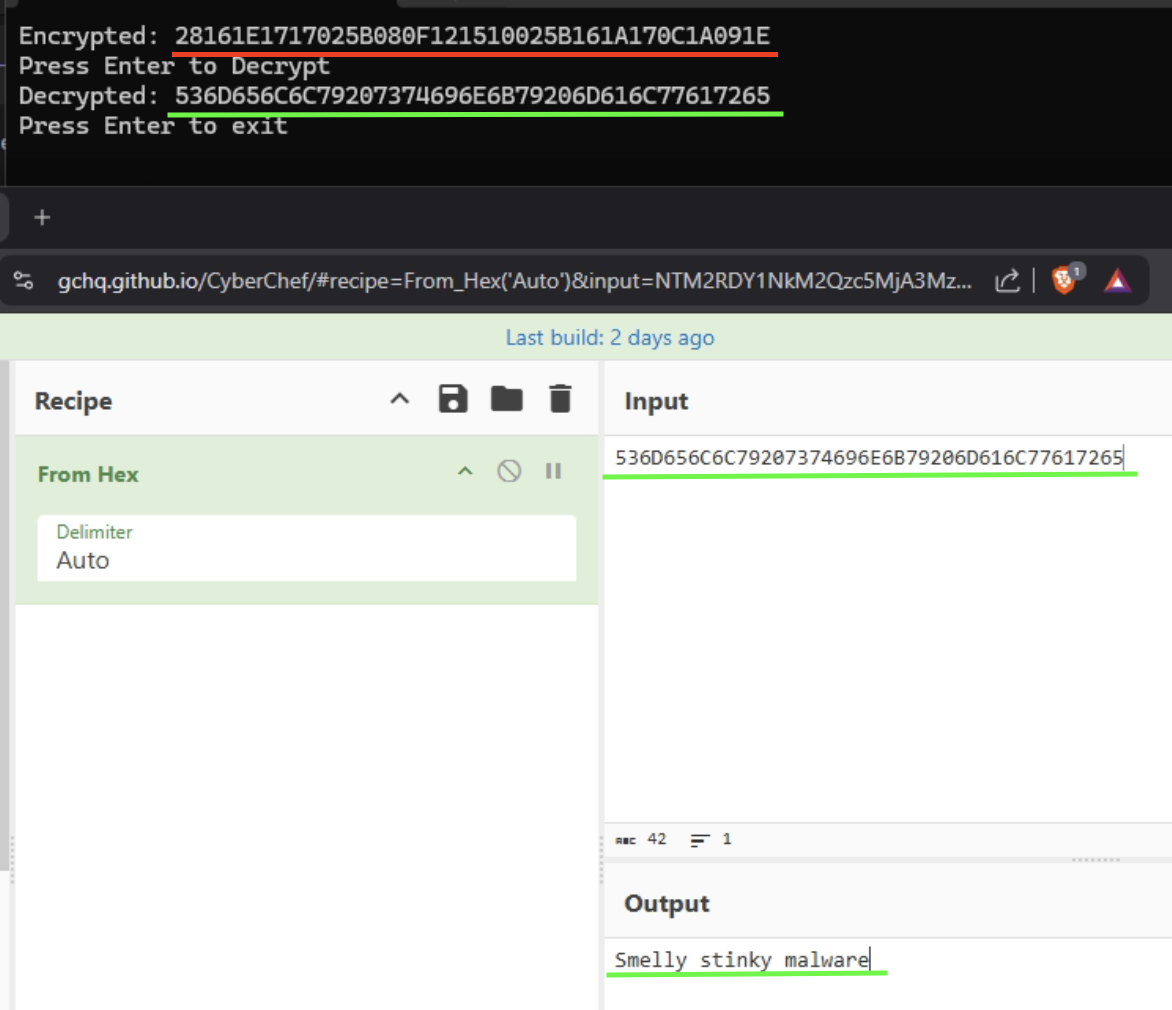
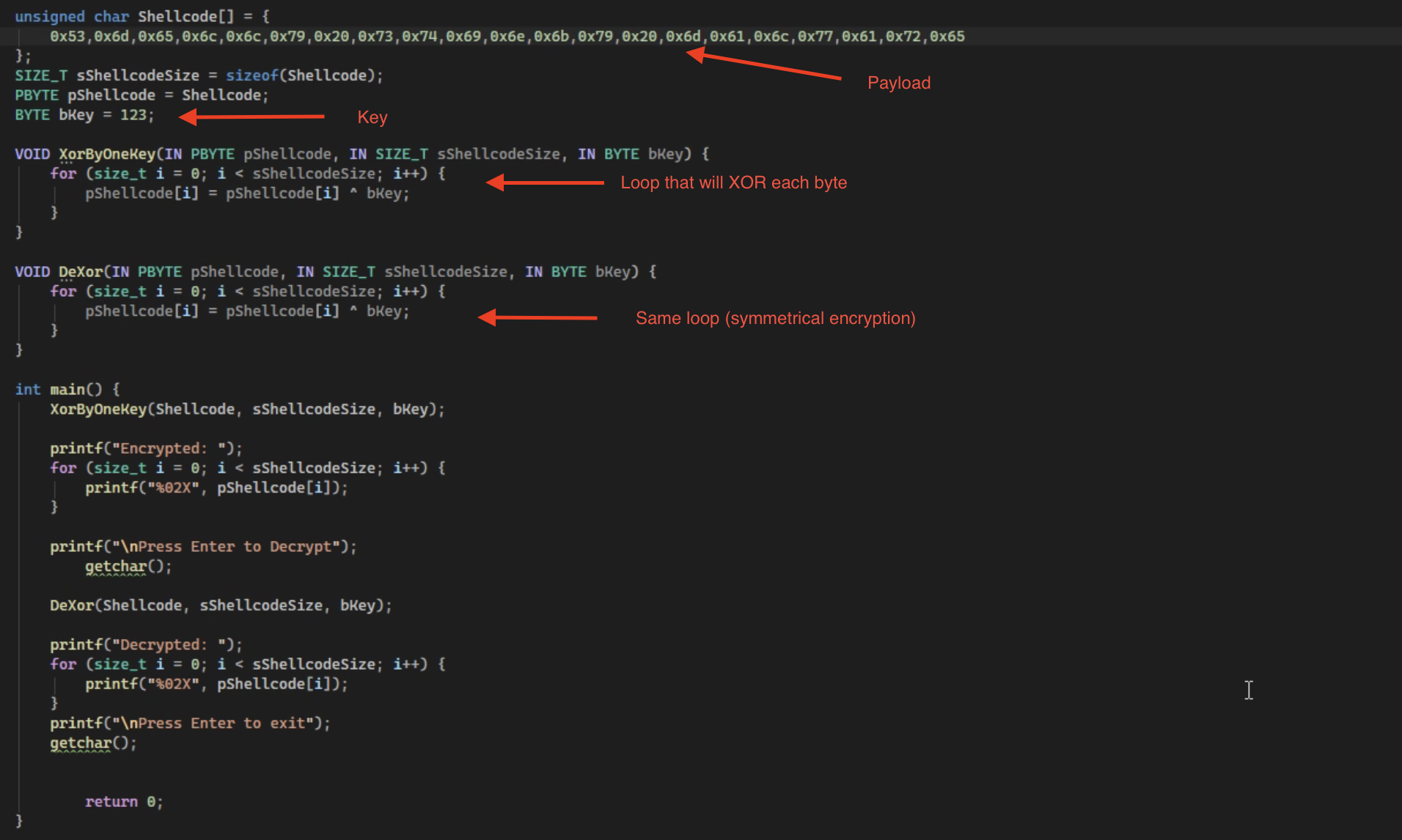 Once ran it will encrypt the shellcode and then decrypt it.
The Reverse
Ok now I had to figure out if I came across this in the wild how would I find not only the payload, but the key to decrypt it as well. To do this I threw it in Ghidra and went digging. I am treating the code as if I have never seen it before and ignoring the naming of the variables/functions on purpose By jumping to the main function under the symbol tree on the lefthand side, I poked around the functions in the decompiled section of Ghidra and found one performing a loop that includes an XOR operation ^.
Main Function: 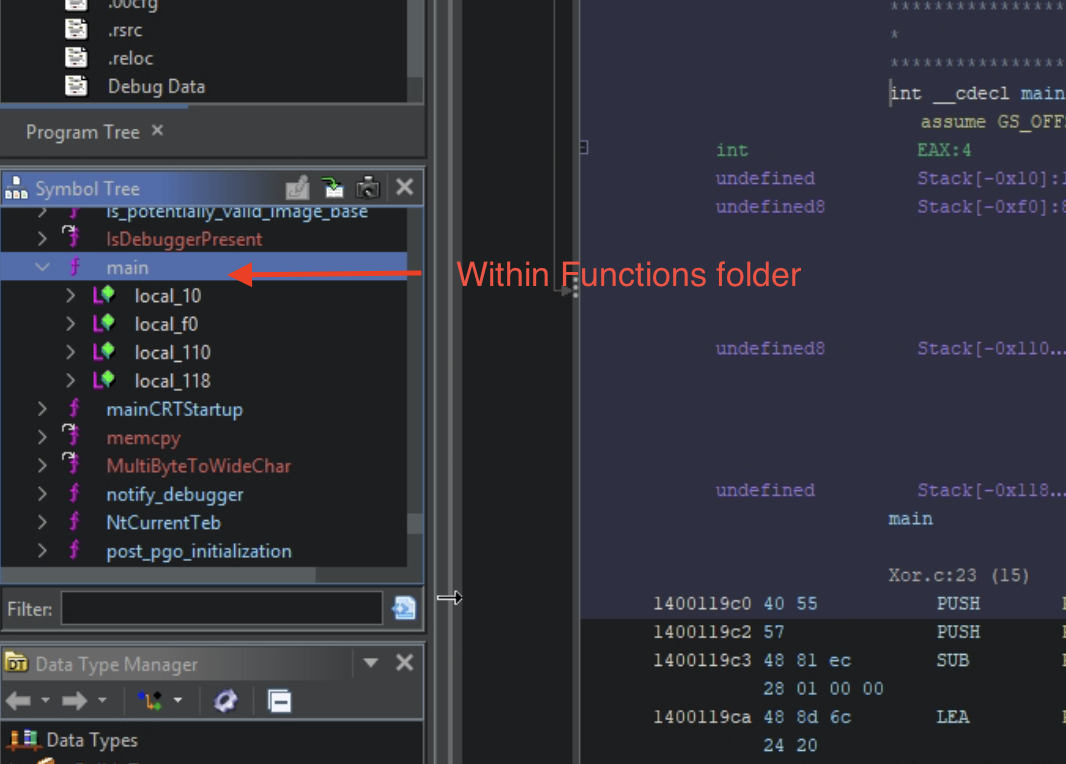 Found Function: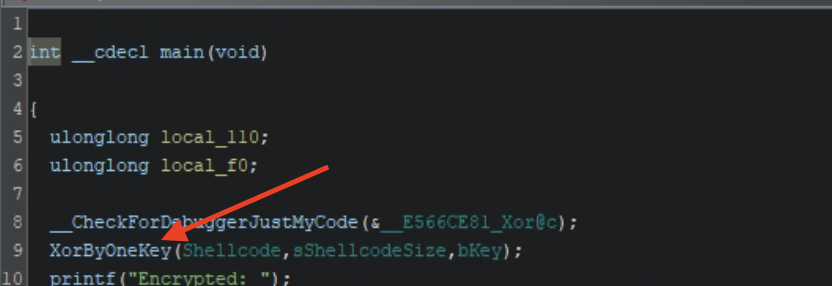
Double clicking on the function takes me to its code where it was performing an XOR operation on a single parameter, which I am assuming is its key. Below you can see the xor operation in assembly and in C ^ being performed, along with the for loop to XOR each byte (the JMP jumps back to its own address if a condition is not met AKA a for loop).
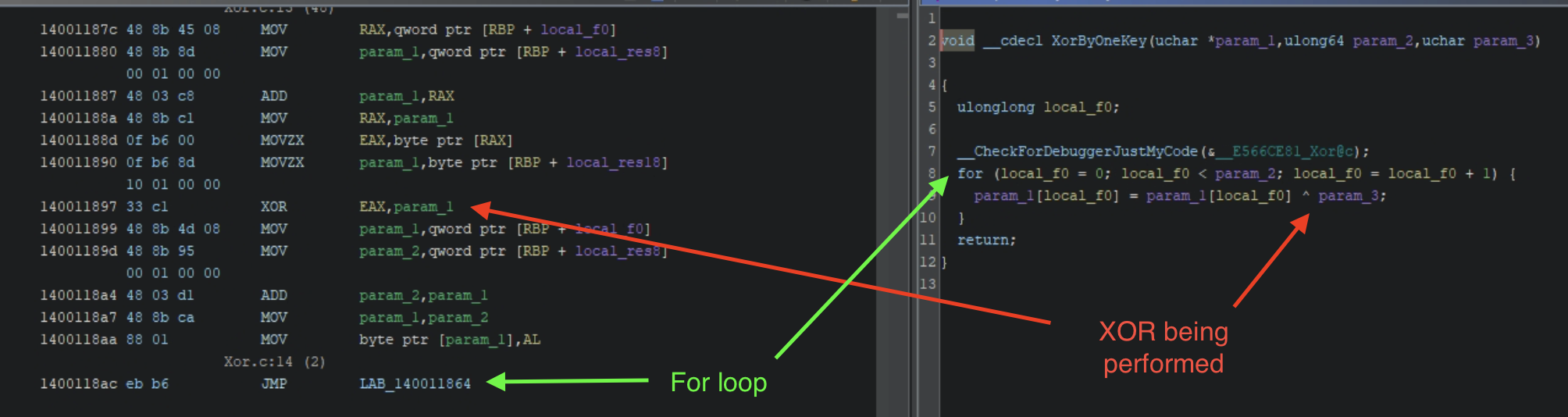
I have found an interesting piece of code that encrypts something. Now I need to get its key and payload so I can decrypt it. This is where x64dbg comes in. Before I could find the function in x64dbg I will have to rebase Ghidra to match x64dbg address space. This is done by getting the base address in x64dbg (memory map > name of .exe > right click copy address) and rebasing Ghidra (Window > Memory > House Icon > Paste). After this is done you have to find your function again and then copy its address and in x64dbg enter the comand bp addressoffunction.
Once you have your breakpoint set hit run. It will pause at the entry point at first because that is default in x64dbg, after that initial breakpoint hit run again and you should land on your breakpoint you set.
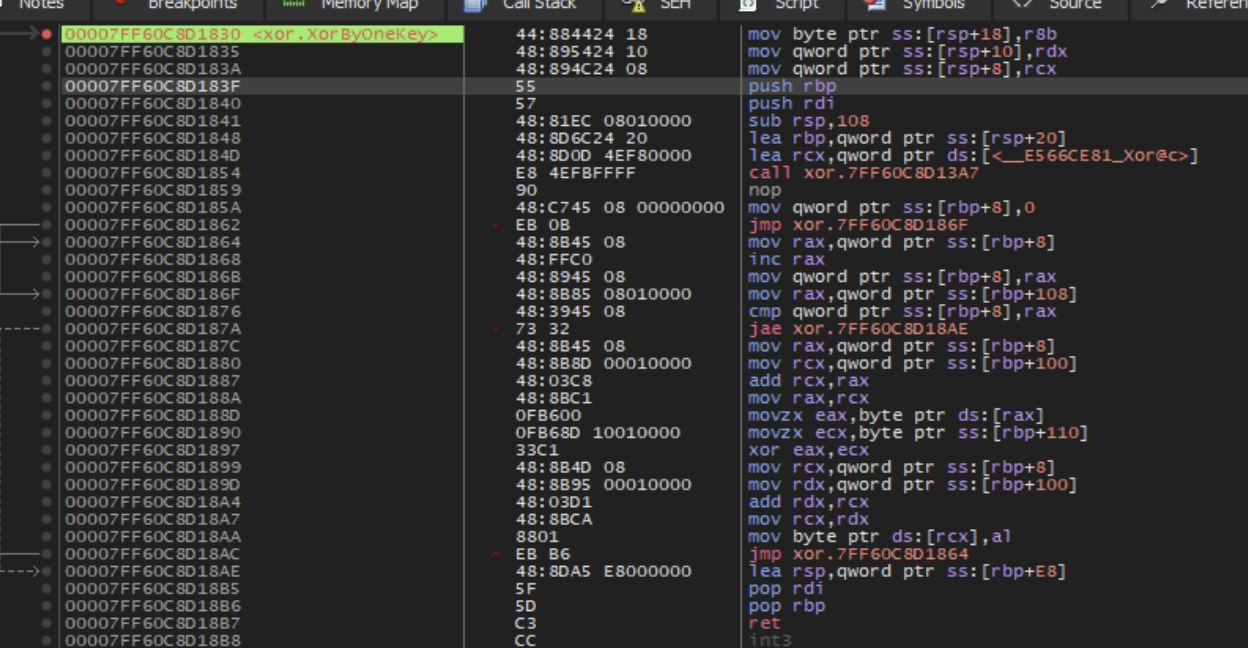 Once at your breakpoint step over until you hit the XOR.
 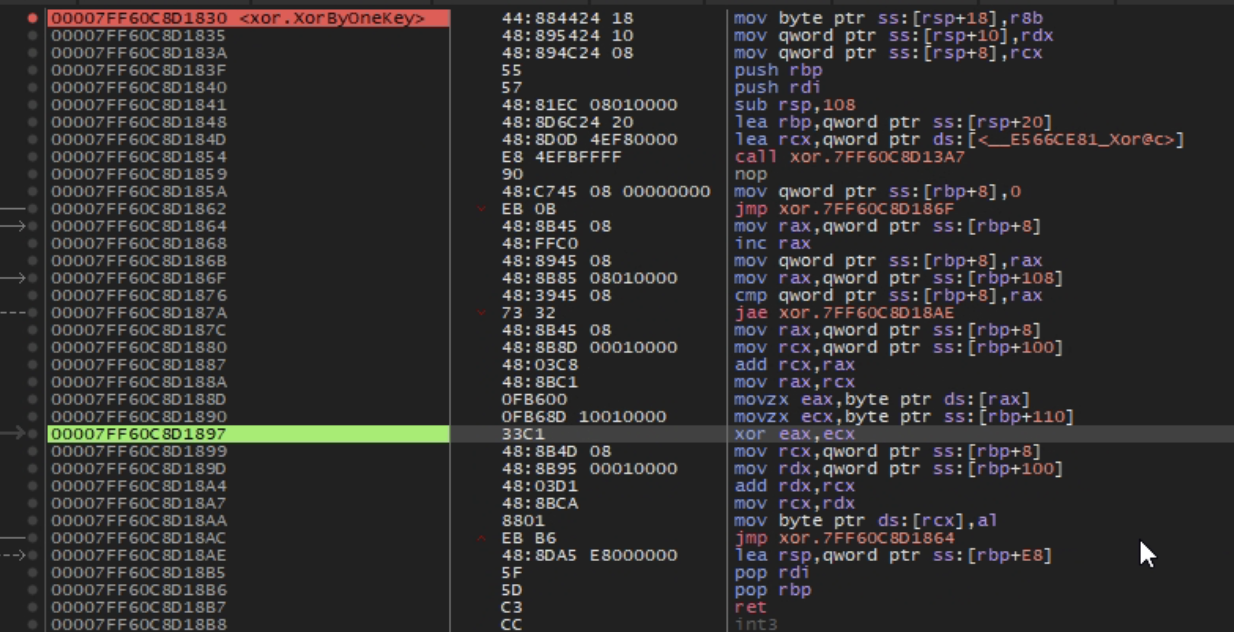 In the picture above the registers
 rax and rcx are being XOR’d, if you look at these registers in the FPU window on the right hand side you can see what is currently in them at that time. Knowing that one of these holds the key and looking at the assembly you can see that rcx is the source register (its on the right), so double clicking it gives me the key.
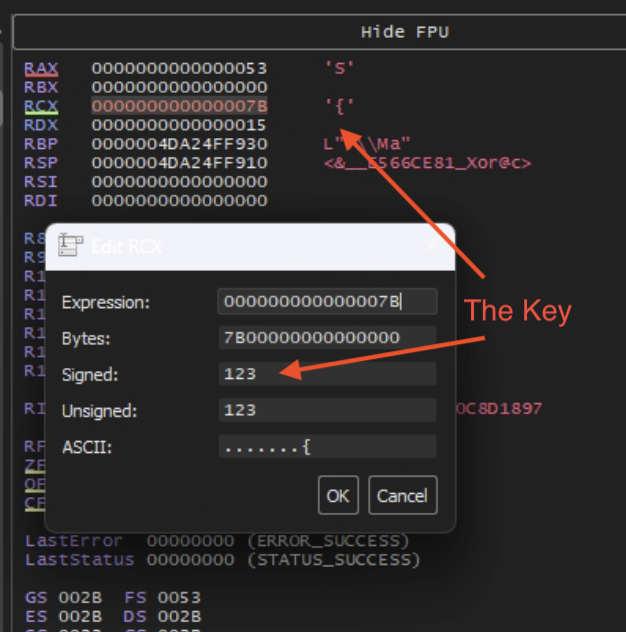
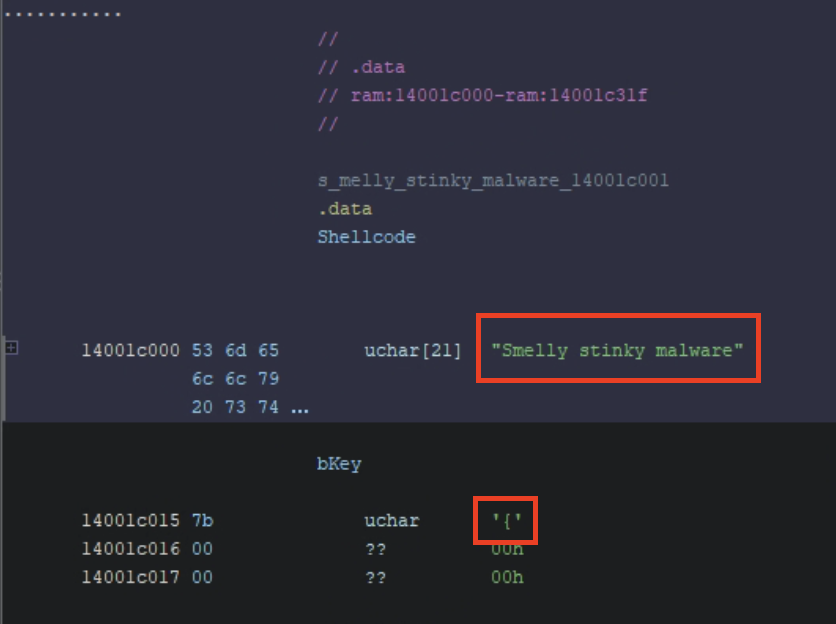
Now that I have the key I just need to pull the payload from the .data section (my payload was a global hardcoded variable and may not always be the case in real world malware). Also notice that the bKey is { even though it is hardcoded as well, you still can’t get the key without debugging.
Conclusion
This was the first time I was able to open up a portable executable and understand it enough to accomplish my goal and it was exhilarating. Not only was I able to code something in a language I am just now starting to learn, but I was also able to reverse engineer what I made! I look forward to doing more of these posts as I learn to develop malware.